







Native Teams Calling Plan Texting Limits: Plain 1:1 SMS Only


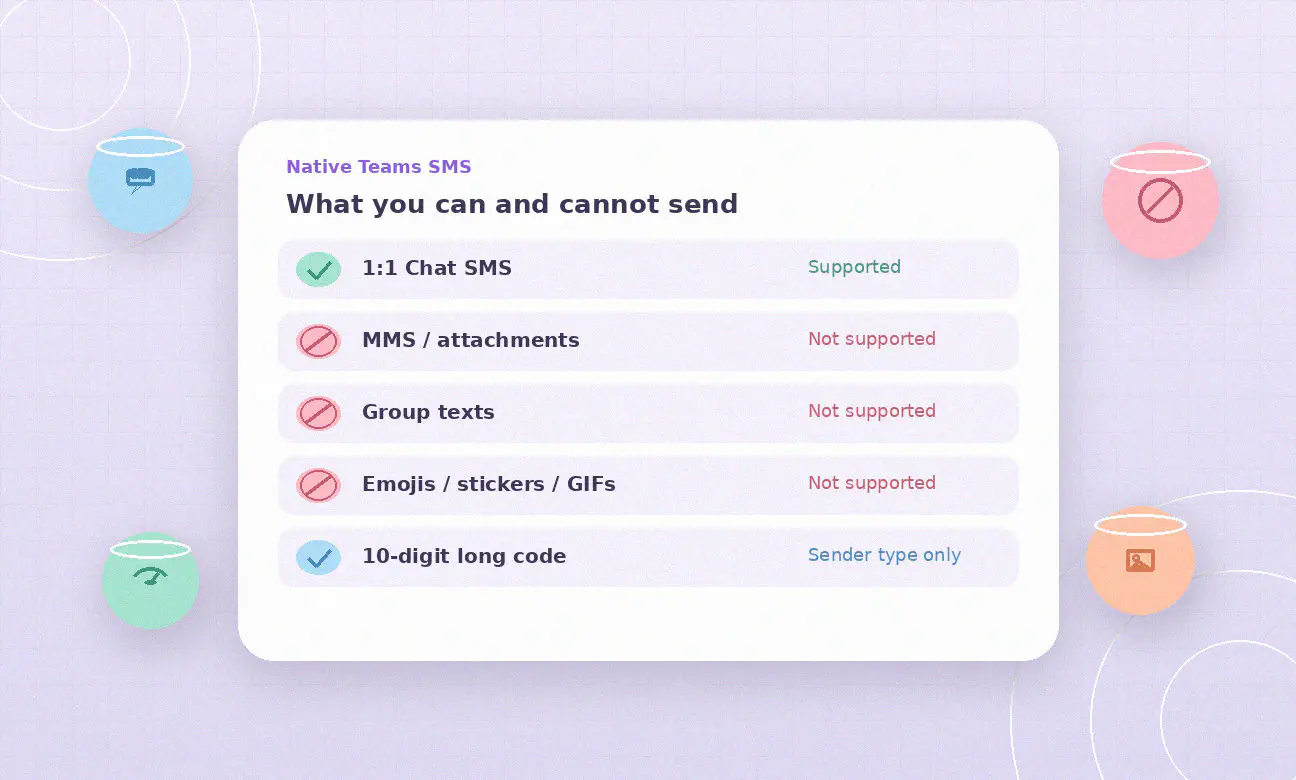
Turning on native texting is only half the story. After Brand, Campaign, and Enable SMS, Microsoft still caps what you can send: plain 1:1 text on Calling Plan numbers in the US (including Puerto Rico) and Canada. There is no MMS, no group thread, and no rich media in Teams Chat texting. Microsoft documents those product boundaries in SMS overview.
Last week we walked through how to enable texting in Teams (Brand, Campaign, activation statuses). This post is the complementary deep dive: the limits that remain after Activated, how segments and pools bill, carrier rate caps, and when plain native texting stops being enough.
If you need MMS, shared inboxes, or texting on Operator Connect and Direct Routing numbers, start here: microsoft teams sms.
In this article:
What Microsoft forbids in native Teams texting
SMS for Teams Calling Plans is supported as one-on-one Chat conversations only. Microsoft states that MMS, attachments, emojis, stickers, and GIFs are not currently supported.
That is not a configuration issue. It is the product shape:
- 1:1 Chat only. You cannot open a native group SMS thread from Teams Chat.
- Plain SMS payload. No pictures, PDFs, voice notes, or GIF stickers through the native path.
- No emoji or sticker chrome inside native SMS messages.
All Teams SMS is treated as business messaging, non-consumer messaging, and Application-to-Person (A2P) messaging. In the US, A2P traffic rides the 10DLC network after The Campaign Registry (TCR) approves your Brand and Campaign. Those registrations unlock the channel. They do not unlock MMS.
If a number still shows Not available after registration, that is a different problem (geography, number type, or resource account assignment). See Teams SMS Not available.
Character segments and how billing counts messages
Microsoft sizes a single SMS segment at 140 bytes or 160 GSM-7 standard text characters. When a sent message exceeds that limit, the message splits into multiple segments. Those segments are sent individually and reassembled on the recipient device. Each segment counts as one Teams SMS message for usage and billing.
Example from Microsoft’s overview: a 240-character message that requires two segments costs the equivalent of two SMS messages against your pool or overage.
Inbound and outbound traffic both count. A long reply from a customer burns the same segment math as a long outbound reply from your agent.
Included SMS pools and overage rates
Included segments depend on the Microsoft Teams Calling Plan license, and identical plans pool at the tenant:
| Teams Calling Plan | Supports SMS | Included SMS (before overage) |
|---|---|---|
| Pay-as-you-go | Yes | 0 |
| Domestic 120 | Yes | 100 |
| Domestic | Yes | 200 |
| Domestic + International | Yes | 200 |
| Teams Phone + Calling Plan Bundle | Yes | 200 if purchased as Calling Plan bundle; 0 if PAYG bundle |
Allotted inbound plus outbound SMS messages are pooled across all SMS-enabled users on the same Calling Plan type in the tenant. Overage charges do not start until that shared pool is consumed in the billing period. Pooling applies only to identical Calling Plans.
Microsoft lists overage (send and receive) at:
- United States and Puerto Rico: $0.0075 USD per message segment
- Canada: $0.01028 CAD per message segment
US, PR, and CA 10DLC operators also apply a per-segment carrier surcharge. Carrier fees are included in allotted messages and added on top of usage fees for overages. Microsoft updates SMS pricing with at least 30 days notice when surcharge rates change.
PAYG Calling Plans bill SMS per use from the start (zero included). Domestic plans burn the shared pool first, then overage.
Carrier rate limits on UCaaS Low Volume
Even with budget left in the pool, carriers enforce throughput caps on the 10DLC network. Limits vary by Brand tier, operator, and Campaign use case. Microsoft’s overview cites fixed examples for UCaaS Low Volume (the campaign type Teams uses):
| Operator | UCaaS Low Volume cap |
|---|---|
| AT&T | 75 SMS per minute per campaign |
| T-Mobile | 2,000 SMS per day per brand |
High Volume tiers scale with Brand score, but native Teams SMS campaigns are UCaaS Low Volume. If an operator’s cap regularly blocks warranted volume, Microsoft says you can request a rate limit increase through Telephone Number Services (TNS) Service Desk.
Default campaign capacity is also capped: one Brand and one Campaign per tenant, and by default up to 49 SMS-enabled numbers on that campaign (you can request a larger number pool while the campaign is still Draft or Pending Customer Update).
Geography, number types, and sender ID limits
Native Teams SMS geography is narrow:
- Supported: United States (including Puerto Rico) and Canada.
- Not supported: Teams users sending or receiving SMS outside US/CA.
- Cloud: public cloud only, not GCC.
Sender type is 10-digit long code only. Microsoft Calling Plans do not currently support toll-free (1-8XX), short codes, or alphanumeric sender IDs for SMS.
Native SMS also applies only to Microsoft Teams Calling Plan numbers assigned to voice-enabled users. It does not light up:
- Operator Connect numbers
- Direct Routing numbers
- Resource account numbers used by call queues or auto attendants
Those number types stay outside the native Enable SMS path no matter how clean Brand and Campaign look.
When plain native texting is enough vs when you need a messaging layer
Native Teams texting is enough when:
- Numbers are Microsoft Calling Plan numbers in the US, Puerto Rico, or Canada.
- Conversations are 1:1 on employee-assigned user numbers.
- Plain text is acceptable (no MMS, no group blasts, no emoji-heavy customer journeys).
- Segment pools, overage rates, a 49-number default (or approved pool), and UCaaS Low Volume carrier caps fit the workload.
You need a Teams messaging layer when customers text Operator Connect or Direct Routing numbers, when shared department or resource account numbers must text, or when you need MMS, a shared inbox, or automation beyond UCaaS Low Volume 1:1 employee chat. Native Enable SMS does not convert those architectures into Calling Plan SMS, and it will not add MMS to Activated user numbers.
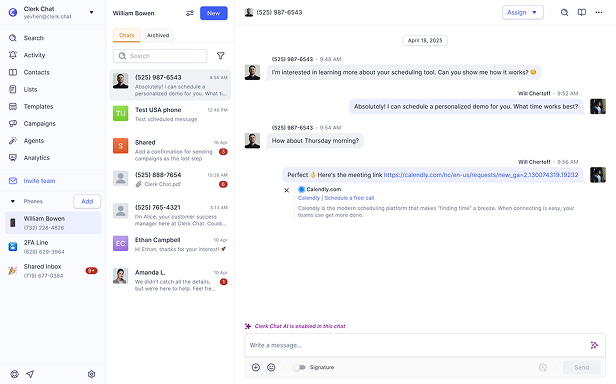
Clerk Chat sits beside Teams Phone for that gap: SMS and MMS on Teams numbers native Calling Plan SMS does not cover, with a shared workspace for coordinators. It does not replace Brand or Campaign registration for tenants that only need native user-number plain SMS.
Frequently Asked Questions
Does Microsoft Teams support MMS?
No. Microsoft documents that MMS, attachments, emojis, stickers, and GIFs are not currently supported for texting in Teams. Native texting is plain text only.
Can I send group texts with native Teams texting?
No. Text messages in Teams are supported with one-on-one Chat conversations only. There is no native group texting thread.
Do emojis work in Teams texting?
Not on the native path. Emojis, stickers, and GIFs are listed with MMS and attachments as unsupported.
How are long messages billed?
A segment is 140 bytes or 160 GSM-7 characters. Longer messages split into multiple segments, and each segment counts as one SMS toward your pool or overage.
What are the overage rates?
Microsoft lists $0.0075 USD per segment for the United States and Puerto Rico, and $0.01028 CAD per segment for Canada, for both send and receive. Carrier surcharges are included in allotted messages and added on overages.
Does Operator Connect get native MMS or texting?
No. Microsoft documents native texting on Calling Plan phone numbers in the United States (including Puerto Rico) and Canada. Operator Connect and Direct Routing numbers are outside that native path, and native texting still would not add MMS even on Calling Plans.
Are toll-free or short codes supported as text senders?
Not for Teams Calling Plan texting. Sender type is 10-digit long code only. Toll-free, short code, and alphanumeric sender IDs are not currently supported.
The Bottom Line
After you enable Microsoft Teams texting, you still get plain 1:1 text on Calling Plan numbers in the US (including Puerto Rico) and Canada. Microsoft does not support MMS, attachments, emojis, stickers, GIFs, or group texting. Segments are 140 bytes or 160 GSM-7 characters, pools follow Calling Plan type, overages are $0.0075 USD (US/PR) or $0.01028 CAD (Canada) per segment, and carriers enforce UCaaS Low Volume caps such as AT&T 75 SMS/min/campaign and T-Mobile 2,000 SMS/day/brand.
If that shape matches how your users text, native texting is enough. If you need MMS, shared inboxes, or texting on Operator Connect / Direct Routing / resource account numbers, you need a messaging layer beside Calling Plans.
Need texting and MMS on the Teams numbers native Calling Plans cannot cover, with a shared inbox for the team? See the Microsoft Teams integration page or Book a demo and we will map Calling Plan coverage, segment economics, and where a messaging layer still belongs.
#Subscribe
Get product updates in your inbox
Tutorials, features, and Clerk Chat news delivered straight to you.