











Teams Phone Call Queues: Automatic Recording, Transcription, and Native Limits


Microsoft Teams Phone call queues now have a first-party way to record and transcribe inbound calls. On August 13, 2026, Automatic Recording for Call Queue became available. On August 17, 2026, Compliance Recording for Call Queues configuration landed in the Teams admin center. Recording starts when a representative answers, and files land in SharePoint.
That is a useful quality-assurance and training feature. It is also a bounded one. Recording, transcription, and agent view are off by default. Transcription currently defaults to English (United States) no matter which language the queue uses. Access through the Queues app requires Teams Premium. And the queue number still cannot send SMS.
This guide covers what Microsoft shipped for Teams Phone call queues in August 2026, how automatic recording actually works, who can use it, the admin prerequisites, the PowerShell versus admin center gap, and the native limits that still sit next to queues: no SMS on resource account numbers, no multi-line alternate numbers on a queue, and the November 2025 outbound PSTN licensing change for on-behalf-of, callback, and external-transfer calls.
If you run Teams Phone call queues, this is what changed this month, and what still requires a messaging layer outside native voice apps.
In this article:
What Microsoft shipped for Teams Phone call queues in August 2026
A call queue is the waiting room for Teams Phone. Callers hold while the system routes them to representatives. Queues are the usual pattern for sales and service, and they also cover any situation where inbound volume exceeds who is free to pick up. Exception handling can redirect overflow, timeout, and no-agent calls to people, voicemail, other queues, auto attendants, or Teams Phone Agents.
Microsoft’s call queue setup docs list two recording-related releases in the last six months:
- August 13, 2026. Automatic Recording for Call Queue is now available.
- August 17, 2026. Assigning templates to a call queue moved to a new Templates step, and Compliance Recording for Call Queues configuration is now available in the Teams admin center.
Message Center MC1401299 (Roadmap ID 565215) is the announcement for automatic recording and transcription. Microsoft positions it as a way to record and transcribe calls handled by queue representatives without a manual start, for quality assurance and training.
These are two different products:
| Recording type | What it does | Where you configure it (as of August 20, 2026) |
|---|---|---|
| Automatic Recording for Call Queue | First-party recording and transcription of inbound queue calls. Files store in SharePoint. Authorized users and (optionally) agents can view them in the Queues app when Shared Call History is on. | PowerShell only. Teams admin center support is listed as coming soon. |
| Compliance Recording for Call Queue | Records all representative-answered inbound queue calls without assigning a compliance recording policy to each agent. Any compliance recording policy on the agent is ignored for those inbound queue calls. | Teams admin center, as of August 17, 2026. A compliance recording application instance is required. |
Automatic recording is the August quality-assurance feature. Compliance recording is the regulated-recording path, and it still does not cover outbound calls an agent places. Microsoft says those outbound calls are treated as user calls, so they still need a compliance recording policy on the person. That outbound gap is scheduled for a future release.
How automatic recording for call queues actually works
Automatic Recording for Call Queue is a first-party Teams feature. When it is enabled on a queue, inbound queue calls are recorded automatically after a representative answers. Recording starts at answer and stops when the call ends. Hold time in the queue, before anyone picks up, is not the recorded segment Microsoft describes.
Admins turn recording and transcription on or off per queue by assigning an automatic recording template. Each template sets:
- SharePoint host name and site name. Recordings and transcripts store on that site. Both values are locked after the template is created. The site must be provisioned through the template process. Manually created SharePoint sites are not supported and can produce access or permission errors. A site created this way can be reused across templates.
- Recording document owner. A Teams administrator (preferred) or user who can reach the file if the SharePoint upload fails.
- Recording enabled. Off by default.
- Transcription enabled. Off by default.
- Agent view permissions. Whether representatives can open recordings and transcripts in SharePoint and in Queues app Shared Call History. Off by default, and locked after the template is created.
- Recording announcement. Played so callers know the call is being recorded. If you do not set a custom audio file or text-to-speech greeting, the system default is:
This call will be automatically recorded.
The Teams administrator who creates the template becomes the SharePoint site admin for that site. Microsoft recommends making other Teams admins SharePoint site admins too, so they can reuse the site or manage authorized users on queues that already have a template assigned.
Authorized users and representatives reach the recordings through the Queues app, and only if Shared Call History is enabled on the queue. Without that template, the files can still exist in SharePoint, but the in-app history path Microsoft documents is not there.
Who can use it (licenses and Queues app)
Base voice-application licensing has not changed. Microsoft’s prerequisites and licensing reference requires:
- At least one Teams Phone license in the tenant to enable Auto Attendant and Call Queue services.
- A free Microsoft Teams Phone Resource Account license for each resource account. Resource accounts stay disabled for sign-in. Chat and presence are not available on them.
Every call queue that directly answers calls needs an associated resource account. Nested queues that only receive calls from an auto attendant or queue that already answered the call do not need their own resource account.
The recording access path is a separate license. Queues App users require a Teams Premium license. MC1401299 is explicit: users who need recordings and transcripts through the Queues app need Teams Premium. Agents do not start or stop the recording. Admins control whether agents can view the files.
That is the licensing catch people miss. Teams Phone plus a Resource Account license gets you the queue. Teams Premium on the people who need the Queues app gets you the in-app history, recordings, and transcripts. Shared Call History itself is documented as a Queues app and Teams Premium feature.
A related Queues app update landed in the same window. MC1443511 (Roadmap ID 567457) adds auto attendant shared voicemail management in the Queues app, also limited to Teams Premium users. It is not call-queue recording, but it is the same app and the same license gate.
Prerequisites admins will hit
Automatic recording does not turn on because the tenant received the rollout. The automatic recording template lists hard prerequisites.
| Prerequisite | Why it blocks you |
|---|---|
| Conference mode On | Automatic recording (and compliance recording) require conference mode on the queue. |
| Group or channel answering | Call answering must use a group or a Teams channel. Individual Users and Shifts are not supported for automatic recording. |
| Shared Call History enabled | Authorized users and agents open recordings and transcripts in the Queues app through Shared Call History. |
| SharePoint site creation enabled | Site creation is on by default. It must stay on. The SharePoint host must have been visited at least once before you create the template. |
| Template-provisioned SharePoint site | Manually created sites are not supported. |
| Explicit recording consent Off | Participant agreement for recording and transcription must be Off. |
| Teams admin is also a SharePoint site admin | Required to assign the template to a queue or to manage authorized users on a queue that already has a template. |
Conference mode is already the recommended setting for call queues. Microsoft also notes that transfer mode (conference mode Off) is now legacy, with a Message Center post promised at least three months before removal.
If your queue is still built on individual user lists or Shifts, automatic recording is not the feature you turn on first. You have to change how the queue answers.
Rollout timeline and the PowerShell vs admin center gap
MC1401299 was last updated June 30, 2026, after Microsoft slipped the original mid-July target. The published schedule is:
| Ring | Start | Expected completion |
|---|---|---|
| Targeted Release | Early August 2026 | Mid-August 2026 |
| General Availability (Worldwide, GCC) | Mid-August 2026 | Late August 2026 |
Learn documentation marked Automatic Recording for Call Queue as available on August 13, 2026. That matches the start of the general-availability window.
The configuration gap is the part that will generate tickets. The June Message Center post said admins could enable automatic recording and transcription “via Teams admin center or PowerShell.” The setup article updated August 20, 2026 says the opposite for automatic recording: configuration is currently PowerShell only, and Teams admin center support is coming soon. Compliance Recording for Call Queues is the product that actually arrived in the admin center on August 17.
If you are looking for an Automatic Recording toggle on the queue in the admin center and do not see one, that is the documented state, not a missed rollout. You create a template with New-CsAutoRecordingTemplate, list templates with Get-CsAutoRecordingTemplate, and assign one with Set-CsCallQueue -AutoRecordingTemplateId. Microsoft Teams PowerShell module 7.8.0 or later is required.
The call queue GUID is in the admin center URL when you edit the queue, or from Get-CsCallQueue.
Known limits of native recording
Microsoft publishes the automatic-recording limits in both the planning and setup articles.
Transcription language. Transcription currently defaults to English (United States), regardless of the language configured for the call queue. A fix is in development.
SharePoint fragility. Changes to the SharePoint site structure, file names, or permissions can cause access issues, permission errors, or automatic recording failures.
Admin rights. Assigning a template or managing authorized users on a queue that uses one requires the Teams administrator to also be a SharePoint site administrator for that site.
Consent policy. Explicit recording consent must be Off. If your tenant requires a caller to accept recording before it starts, this first-party queue feature is not the path Microsoft documents.
Locked template fields. SharePoint host name, site name, and agent view permission cannot be changed after the template is created. Plan those values before you run New-CsAutoRecordingTemplate.
Answer-time start. Recording starts when a representative answers, not when the caller enters the queue. Training and QA get the agent conversation. They do not get the hold experience.
Compliance recording is inbound-only for the queue. Outbound calls agents place, and a user’s non-queue inbound and outbound calls, still need a compliance recording policy on the user. A compliance recording application instance is required to create a compliance recording for call queue template.
Trunk transfers. This is a broader voice-application limit, not a recording-only one: transfers between Calling Plan, Operator Connect, and Direct Routing trunks are not supported. If your queue, auto attendant, and agents sit on mixed PSTN paths, plan the transfer path before you treat recording as the hard part. Our guides to Direct Routing vs Operator Connect and Operator Connect cover how those number sources differ.
Call queues vs Shared Calling vs multi-line
These three Teams Phone features get mixed together because they all involve more than one person and more than one number. They solve different problems.
| Feature | What it is | Who owns the number | Fits a queue? |
|---|---|---|---|
| Call queue | A waiting room. Callers hold. Representatives answer in attendant, serial, round robin, or longest-idle order. | A resource account assigned to the queue (for queues that answer calls directly). | This is the queue. |
| Shared Calling | Users have no dedicated PSTN number. Inbound and outbound PSTN uses the phone number of a resource account associated with an auto attendant. Recipients see the auto attendant caller ID. | The auto attendant resource account. | Different feature. Shared Calling is a user calling policy, not a waiting room. |
| Multi-line | One user can hold up to 11 numbers: one primary, one private, and up to nine alternate lines. | The user. | Alternate numbers are direct user lines only and cannot be added to call queues or auto attendants. |
Shared Calling is the cost and number-inventory option for light PSTN users. Microsoft’s Shared Calling plan is explicit: do not assign a phone number to a Shared Calling user; use the auto attendant resource account instead. That is a short contrast, not a substitute for a queue. If callers need to hold for the next free agent, you still need a call queue.
Multi-line is the opposite shape. It gives one person several of their own numbers. It does not turn those alternate lines into queue or auto attendant identities. If you need a departmental number that rings a group, assign a resource account number to the queue. Do not hang that number on a user as an alternate line and expect to add it to the queue later. Our Teams Phone multiple lines on mobile guide covers the user-line side of that split.
Can you text from a Teams call queue number?
No. Not with native Teams Phone SMS.
SMS in Teams is limited to Microsoft Teams Calling Plan phone numbers in the United States (including Puerto Rico) and Canada. It is one-to-one chat. MMS, attachments, emojis, stickers, and GIFs are not supported. Toll-free numbers, short codes, and alphanumeric sender IDs are not supported.
SMS management is the page that closes the queue-number question. Under SMS status, Not available includes numbers assigned to a resource account, or numbers that do not support SMS. Call queues and auto attendants use resource accounts. Resource account numbers are the numbers Microsoft marks as not available for SMS.
Microsoft staff repeated that limit on a February 2026 Q&A thread about Zoom Phone Power Pack-style shared SMS on a healthcare call queue. The official answer: a call queue number is not expected to support SMS the way a user-assigned Calling Plan number can, and Teams does not offer a native shared SMS inbox, shared SMS history, or multi-agent texting on a queue number. Shared Call History is a voice and voicemail feature, not a texting feature.
So the August recording release does not change the texting story. You can now keep a SharePoint copy of the voice conversation after an agent answers. You still cannot reply to the customer by SMS from the same public queue number. For what native user-number SMS can do, see our guide to how to send a text in Microsoft Teams. For the shared-inbox model Teams does not ship, see shared SMS inbox.
November 2025 outbound PSTN licensing change
Recording is not the only queue-licensing change that still surprises admins. On November 1, 2025, Calling Plan licenses on resource accounts stopped covering on-behalf-of PSTN outbound calls.
If a call queue or auto attendant does any of the following, the resource account needs more than the free Teams Phone Resource Account license:
- Transfer calls to an external phone number.
- Use the call queue callback feature.
- Use resource accounts for representative on-behalf-of outbound calling line ID.
For Microsoft-provided numbers, that extra assignment is a funded pay-as-you-go license or Communications Credits (or telco pay-as-you-go overage for New Commerce customers). Operator Connect numbers have no extra Microsoft license for those scenarios, but the matching Message Center notice told Operator Connect customers to confirm the same outbound cases with their carrier. Direct Routing numbers are unchanged: they need an online voice routing policy, and phone number assignment is optional.
Microsoft lists the failing scenarios if PAYG or Communications Credits are missing on Calling Plan resource accounts:
- Outbound PSTN calls by call queue agents on behalf of a resource account.
- Outbound PSTN calls made by auto attendants or call queues.
- Callback PSTN calls from a call queue or auto attendant.
- On-behalf-of calls through Graph API and Phone System Extensibility.
If you turned on recording this month and callbacks or on-behalf-of outbound started failing last year, those are separate switches. Recording does not restore the old Calling Plan coverage on the resource account.
Native call queues vs a Teams messaging layer (Clerk, soft sell)
Native call queues are a voice product. The August 2026 release makes them a better voice product. You can record the answered inbound call, store it in SharePoint, optionally transcribe it, and let authorized users (and, if you allow it, agents) review it in the Queues app.
That is the ceiling. The queue number is still a resource account. Resource accounts do not sign in, do not chat, and do not get native SMS. Shared Call History is missed calls, answered calls, outbound calls, and voicemail, not a shared text thread. Native SMS, where it exists at all, is a one-to-one conversation on a user-assigned Calling Plan number in the US, Puerto Rico, and Canada.
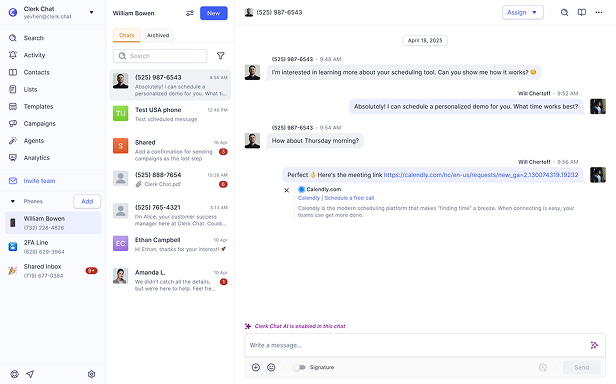
Clerk Chat sits next to that voice stack as a Teams messaging layer. The point is not to replace the queue, the recording template, or compliance recording. It is to cover the public number the queue still cannot text from, and the shared inbox Teams still does not ship:
- SMS and MMS on Teams Phone numbers, including numbers that are not native Calling Plan SMS numbers.
- A shared SMS inbox so more than one coordinator can see and reply to the same customer thread.
- The same Teams workspace for voice follow-up and text follow-up, instead of a side app the queue never sees.
If your operation is voice-only, turn on automatic recording, assign Teams Premium to the people who need the Queues app, and leave the messaging question alone. If customers already text the number on the door, or you are migrating from a PBX that treated the queue number as both a voice line and a shared SMS line, native Teams Phone still does not close that gap. Recording the call after an agent answers does not create a text channel on the resource account.
Frequently Asked Questions
Does Microsoft Teams Phone support call queues?
Yes. Call queues are a core Teams Phone voice application. Callers wait on hold while calls route to representatives using attendant, serial, round robin, or longest-idle routing. Queues that answer calls directly need a resource account and a Teams Phone Resource Account license. The tenant needs at least one Teams Phone license to enable the service.
How do I enable automatic recording on a Teams call queue?
Create an automatic recording template in PowerShell with New-CsAutoRecordingTemplate (module 7.8.0 or later), then assign it with Set-CsCallQueue -Identity <CallQueueGUID> -AutoRecordingTemplateId <TemplateID>. Recording, transcription, and agent view are off until you enable them on the template. Teams admin center configuration for automatic recording is documented as coming soon. Compliance recording templates are the ones you can already assign in the admin center Templates step.
Do agents need Teams Premium for call queue recording?
Agents do not need Teams Premium for the call to be recorded. The queue records when the template is assigned and recording is enabled. Agents and authorized users need the Queues app to open recordings and transcripts in Shared Call History, and every Queues app user needs Teams Premium. Agent view is a separate template permission, off by default.
Can you send SMS from a Teams call queue or auto attendant number?
No. Native SMS in Teams is limited to user-assigned Calling Plan numbers in the United States, Puerto Rico, and Canada, in one-to-one chat, without MMS. Microsoft marks SMS as not available on resource account numbers. Call queues and auto attendants use resource accounts, so the public queue or auto attendant number is not an SMS number.
Does call queue recording work with Direct Routing and Operator Connect?
Automatic recording is a queue feature, not a Calling Plan-only feature. The documented prerequisites are conference mode, group or channel answering, Shared Call History, SharePoint, and explicit recording consent Off. Number source is not listed as a recording blocker. The separate limit to plan for is transfer: Teams does not support transfers across Calling Plan, Operator Connect, and Direct Routing trunks. Compliance recording still requires a compliance recording application instance.
What is the difference between automatic recording and compliance recording for call queues?
Automatic recording is first-party recording and transcription for inbound queue calls, stored in SharePoint, with a caller announcement and optional agent view in the Queues app. Compliance recording records representative-answered inbound queue calls through a compliance recording partner application, without assigning a compliance recording policy to each agent. Agent-level compliance policies are ignored for those inbound queue calls. Outbound agent calls still need a user compliance recording policy.
When did Microsoft roll out call queue recording?
Automatic Recording for Call Queue became available on August 13, 2026. Message Center MC1401299 (Roadmap 565215) scheduled Targeted Release for early to mid-August 2026 and general availability (Worldwide, GCC) for mid to late August 2026. Compliance Recording for Call Queues became configurable in the Teams admin center on August 17, 2026.
Can a Teams Phone multi-line number be added to a call queue?
Not an alternate line. Microsoft’s multi-line documentation says alternate numbers are direct user lines only and cannot be added to call queues or auto attendants. A queue that answers PSTN calls uses a resource account number, not a user’s alternate line.
The Bottom Line
August 2026 gave Teams Phone call queues a native recording path. Automatic recording starts when a representative answers, stores the file in SharePoint, and can add a transcript and a Queues app view if you assign the right template, turn Shared Call History on, and license the people who need the app with Teams Premium. Compliance recording for inbound queue calls is now in the admin center. Automatic recording is still PowerShell-first.
The limits around that release are the ones that were already true of native queues. Transcription defaults to English (US). Users and Shifts answering modes are out. Explicit recording consent must be Off. Resource account numbers still cannot send SMS. Alternate multi-line numbers still cannot join a queue. Calling Plan licenses on resource accounts still do not cover on-behalf-of, callback, or external-transfer PSTN, which is why PAYG or Communications Credits remain a queue-ops item, not a recording item.
Turn the feature on if you need answered-call QA inside Microsoft 365. Do not treat it as shared texting, a shared SMS inbox, or a replacement for a Teams messaging layer on the public number.
Need the queue number to text as well as ring, with a shared inbox the voice queue still cannot provide? Book a demo and we will map your resource accounts, Queues app licensing, and what messaging from those same Teams numbers looks like without native SMS constraints.
#Subscribe
Get product updates in your inbox
Tutorials, features, and Clerk Chat news delivered straight to you.