












Teams Phone Mobile: Native Dialer vs Teams App, Licensing, and What Happens to Texts


Teams Phone Mobile turns a company-provided, SIM-enabled mobile number into the user’s Teams phone number. One business number rings the smartphone and every Teams endpoint, calls can move from the phone’s built-in dialer into Teams without dropping, and call history and voicemail live in one place.
The detail most admins miss is the default. Microsoft’s configuration guide says that, by default, incoming calls for Teams Phone Mobile users ring the Teams app first on the SIM-enabled phone, not the native dialer. If your mobile workers expect their phone to behave like a normal cell phone, you have to change that with a mobility policy.
This guide covers what Teams Phone Mobile is, who can get it, how the native dialer and Teams app settings work, and what it leaves out, including customer texting.
In this article:
What Is Teams Phone Mobile?
Microsoft describes Teams Phone Mobile as a PSTN connectivity option for Teams Phone, alongside Calling Plans, Operator Connect, and Direct Routing. According to Microsoft’s planning guide, a participating mobile operator provides the mobile service and SIM-enabled numbers, and Teams extends Teams Phone capabilities to those numbers.
Microsoft made it generally available at Ignite in 2022 after first announcing it as Operator Connect Mobile, with Rogers in Canada and Telia in Sweden as the launch operators.
The capabilities Microsoft lists for Teams Phone Mobile users:
- One business number across the smartphone and Teams endpoints.
- Call continuity. Move a call from the native dialer to the Teams app or another Teams device without dropping it.
- Combined call history and unified voicemail through Teams.
- Presence integration. A call on the native dialer can set Teams presence to In a call.
- Call transfer, caller ID options, and incoming calling preferences managed in Teams.
- Compliance recording for native dialer and Teams calls, when the organization has the required subscriptions and services.
It can run next to other connectivity options in the same tenant. Microsoft’s own example is Teams Phone Mobile for mobile workers, Operator Connect for knowledge workers, and Direct Routing for complex sites.
Teams Phone Mobile Requirements and Licensing
Microsoft lists three requirements:
- A Teams Phone license for each user, either standalone or through a Microsoft 365 plan that includes Teams Phone.
- An eligible mobile subscription with a participating Teams Phone Mobile operator. The operator uploads the eligible SIM-enabled numbers to your tenant, and you assign them in the Teams admin center under Voice > Phone numbers.
- TeamsOnly mode for users who get a Teams Phone Mobile number. The rest of the organization does not have to be in TeamsOnly mode.
Operators add their own rules. AT&T’s quick start guide says a separate Teams Phone Mobile license is not required, commercial and GCC tenants are supported but GCC High is not, data-only plans and NumberSync users are not compatible, and Call Screening on iPhone disrupts Teams Phone Mobile.
If you are moving existing numbers, Microsoft’s number management guide covers moves from Calling Plans, Operator Connect, and Direct Routing. In each case you remove the number from the user, the operator ports it onto an eligible SIM-enabled wireless voice plan and uploads it to your tenant, and you assign it again. In PowerShell, Teams Phone Mobile numbers are assigned with Set-CsPhoneNumberAssignment using -PhoneNumberType OperatorConnect.
Which Operators Offer Teams Phone Mobile
Availability depends entirely on your carrier and country. Microsoft keeps the current list in its operator directory. A few examples from the operators’ own pages:
| Country | Operator offer |
|---|---|
| United States | AT&T Cloud Voice with Microsoft Teams Phone Mobile, announced March 26, 2024 |
| United States | Verizon Mobile for Microsoft Teams |
| Canada | Rogers Teams Phone Mobile |
| United Kingdom | EE Microsoft Teams Phone Mobile |
You enable the operator in the Teams admin center under Voice > Operators, pick the countries or regions, and share contact details so the operator can follow up.
Native Dialer vs Teams App: The Incoming Call Default
Every Teams Phone Mobile user has an incoming calling preference that decides which app rings first on the SIM-enabled phone. Other Teams endpoints ring at the same time either way.
| Mobility policy setting | PowerShell value | What rings on the SIM-enabled phone |
|---|---|---|
| Microsoft Teams (default) | Teams | The Teams app rings first |
| Native Dialer | Native | The phone’s built-in dialer rings first |
| User Controlled | UserOverride | Each user picks in the Teams iOS or Android app |
To change it in the Teams admin center, go to Voice > Mobility Policies, add a policy, choose Microsoft Teams, Native Dialer, or User Controlled from the mobile dialer dropdown, and assign it to users. In PowerShell:
New-CsTeamsMobilityPolicy -Identity NativeFirst -MobileDialerPreference Native
Grant-CsTeamsMobilityPolicy NativeFirst -Identity user@contoso.com
You can also set the Global mobility policy to Teams, Native, or UserOverride with Set-CsTeamsMobilityPolicy to change the default for everyone.
When the policy is User Controlled, Microsoft’s user guide says users tap their profile picture, go to Settings > Calling, open Incoming call settings, and choose Cellular phone or Teams app.
Which should you pick? Native Dialer is the closer match to how field and sales teams already use their phones, and it is required for one feature: Microsoft says Call my phone, which moves a Teams call to the cellular dialer when data is weak, needs the mobility policy set to the cellular phone dialer. Teams first keeps calls in the Teams interface, where transfer, video, and screen sharing are one tap away.
What Changes for Users Day to Day
Microsoft’s getting started guide spells out the user experience:
- Setup. In the Teams mobile app, users go to Settings > Calling and select Setup Teams Phone Mobile, then confirm their number. They should select Yes only on the SIM-enabled business phone and Cancel on every other device.
- Shared history, with a catch. Calls from either app appear in Teams history everywhere, but the phone app only shows calls made from that device.
- Voicemail lives in Teams. Voicemail is unavailable through the default calling app. iPhone users need to turn off Live Voicemail to get voicemails in Teams.
- Uplift before you transfer. To add video, share a screen, or transfer a call that started in the native dialer, users first tap Move call to Teams.
- Call my phone. Moves a one-on-one Teams call to the cellular dialer. It requires an Audio Conferencing plan with dial-out minutes, and billing runs through Audio Conferencing.

What Teams Phone Mobile Does Not Cover
Teams Phone Mobile is a calling feature for individual users. A few gaps are worth planning around before you roll it out:
- No main lines. Microsoft says Teams Phone Mobile supports user phone numbers only. It does not support Audio Conferencing numbers or voice application numbers, such as the numbers on auto attendants and call queues. Your front-door number still needs a Calling Plan, Operator Connect, or Direct Routing number.
- No change to texting. AT&T’s FAQ states it plainly: Teams Phone Mobile “does not change or enhance SMS or mobile messaging on your mobile device,” and texting to a computer through Teams “is not supported and is not a feature of Teams Phone Mobile.” Texts to the number stay in the phone’s messaging app, outside Teams history and compliance.
- Built-in Teams texting is tied to Calling Plans. Microsoft’s SMS planning guide limits native Teams texting to Calling Plan numbers in the US (including Puerto Rico) and Canada. Moving a Calling Plan number to Teams Phone Mobile means removing it from the Calling Plan first, so it leaves that path behind. We cover the other number types in why Teams texting shows Not available and in texting on Operator Connect and Direct Routing numbers.
Need those calls to come with texts? See how to text customers from your Teams number.
Teams Phone Mobile vs Operator Connect and Calling Plans
| Teams Phone Mobile | Operator Connect | Calling Plan | |
|---|---|---|---|
| Who supplies the number | A participating mobile operator, on a SIM | A participating carrier, in the Teams admin center | Microsoft |
| Rings the phone’s native dialer | Yes | No, Teams app only | No, Teams app only |
| Auto attendant and call queue numbers | No | Yes | Yes |
| Built-in Teams texting | No | No | Yes, US and Canada |
| Extra license beyond Teams Phone | Operator mobile plan | Carrier calling plan | Microsoft Calling Plan |
Since the April 2026 Teams Phone multi-line release, you do not have to choose one per person. Microsoft’s Message Center post MC1261591 (Roadmap ID 553590) says admins can assign up to 10 numbers to one Teams Phone user, and alternate numbers can be Direct Routing, Operator Connect, Calling Plan, or Teams Phone Mobile numbers. Those lines reached the Teams mobile app in a rollout that ran from late July to the end of August 2026 (MC1402306, Roadmap ID 565131). Our guide to multiple phone lines on Teams mobile walks through setup. If you are comparing the carrier options, see Operator Connect vs Direct Routing.
Frequently Asked Questions
What is Teams Phone Mobile?
Teams Phone Mobile is a Microsoft PSTN connectivity option that makes a company-provided, SIM-enabled mobile number the user’s Teams phone number. Calls ring the smartphone and all Teams endpoints, and users can move calls between the native dialer and Teams without dropping them.
Does Teams Phone Mobile ring the native dialer by default?
No. Microsoft says incoming calls ring the Teams app first on the SIM-enabled phone by default. Admins can assign a mobility policy set to Native Dialer, or User Controlled to let each user choose in the Teams mobile app.
What license do I need for Teams Phone Mobile?
Each user needs a Teams Phone license, an eligible mobile subscription from a participating operator, and TeamsOnly mode. AT&T, for example, says a separate Teams Phone Mobile license is not required.
Which carriers offer Teams Phone Mobile in the US?
AT&T offers AT&T Cloud Voice with Microsoft Teams Phone Mobile, and Verizon offers Verizon Mobile for Microsoft Teams. Microsoft’s operator directory lists participating operators by country.
Can I use a Teams Phone Mobile number for an auto attendant or call queue?
No. Microsoft says Teams Phone Mobile supports user phone numbers only, not voice application numbers for auto attendants and call queues or Audio Conferencing numbers.
Can Teams Phone Mobile users send texts from Teams?
Not through Teams Phone Mobile. AT&T says the service does not change SMS on the device and that texting to a computer through Teams is not supported. Built-in Teams texting requires a US or Canadian Calling Plan number.
Can a Teams Phone Mobile number be one of several lines?
Yes. Since MC1261591 rolled out in spring 2026, admins can assign up to 10 numbers to one Teams Phone user, and Teams Phone Mobile numbers can be alternate lines alongside Calling Plan, Operator Connect, and Direct Routing numbers.
The Bottom Line
Teams Phone Mobile gives mobile-first employees one business number on their smartphone and in Teams, with call continuity, shared voicemail, and Teams presence. Check three things before rollout: whether your carrier participates, which app should ring first (Teams is the default, Native Dialer is a policy change), and which numbers still need to live elsewhere, such as auto attendant and call queue lines.
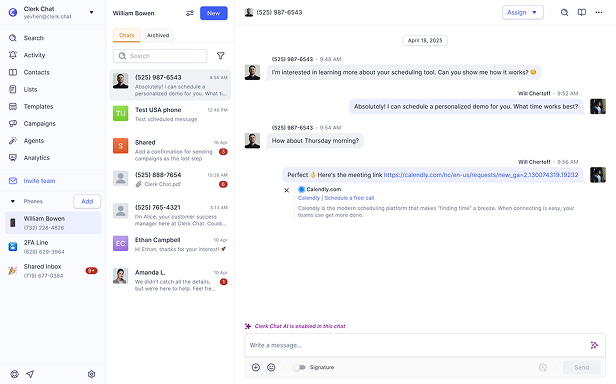
It is a calling feature, not a messaging one. If customers text the numbers your team answers in Teams, plan that separately. See how Clerk Chat works with Teams or book a demo, and we will map which of your numbers should carry calls, texts, or both.
#Subscribe
Get product updates in your inbox
Tutorials, features, and Clerk Chat news delivered straight to you.