












Teams Queues App: Licensing, Limits, and the December 2026 Mobile Update


The Teams Queues app is where Microsoft puts the call queue tools that go beyond basic routing: real-time queue metrics, historical reports, shared call history, and live coaching for agents. Until now, most of that work happened at a desk. Between November 11 and November 16, 2026, Microsoft published four updates that bring more of the Queues app to Teams on iOS and Android, with general availability planned for December 2026.
Those updates are a good reason to look at what the app actually does, who can use it, and where it stops. The Queues app has a two-license requirement that surprises many admins, hard limits on queues and agents, and no support in the Teams web client. It also only handles calls and voicemail, which matters when the same queue numbers get customer texts.
This guide covers what the Queues app is, licensing and limits, how admins set it up, what the December 2026 mobile updates change, and the gap that remains for teams that also need to message customers.
In this article:
What the Teams Queues App Is
Microsoft’s Queues app admin guide describes it as a Teams app that gives call queue and auto attendant leads extra controls beyond the admin center. It is built for the people who run a queue day to day, not only for the agents answering calls.
Microsoft lists four core capabilities:
- Call queue management. Admins can delegate authorized users, such as leads or supervisors, to configure call queues and auto attendants from the Teams client, and to opt agents into and out of a queue.
- Real-time metrics. Waiting calls, average wait time, longest wait time, and more. Real-time data covers activity since 12:00 AM in the signed-in user’s local time zone.
- Historical reporting. Metrics for call queues, auto attendants, and agent queue actions for up to the past 45 days, reported in UTC.
- Monitor, Whisper, Barge, and Takeover. Authorized users can listen to customer calls, privately coach agents, join the call, or take it over.
If you are still deciding how calls should reach the right people in the first place, start with our guides to Teams Phone call queues and the Teams Phone auto attendant. The Queues app sits on top of those building blocks.
Queues App Licensing and Requirements
The Queues app needs two licenses per user. Microsoft’s admin guide says users must have a Teams Phone license and a Teams Premium license. After a user is licensed for Teams Premium, it can take up to 48 hours for the app to appear in their Teams client.
Some features add a third license. Microsoft’s Message Center post MC1552391 says Copilot in the Queues app requires Teams Premium for the app and a Microsoft 365 Copilot license for Copilot itself. For a full breakdown of how these add-ons stack, see our guide to Microsoft Teams licenses.
Other requirements from Microsoft’s documentation:
- Voice enabled users. The app is enabled by default for users who hold both licenses and are voice enabled.
- Queue membership. Users must be in at least one call queue to use the app.
- Authorized user policy. Leads who need to change membership, greetings, routing rules, or hours of operation need a voice applications policy assigned by an admin.
- Resource accounts for nesting. If an auto attendant or call queue is nested without a resource account, authorized users cannot edit it in the Queues app.
Queues App Limits and Platform Support
Microsoft’s admin guide lists these limits and availability details:
| Item | Value |
|---|---|
| Recommended call queues per user | 100 or fewer |
| Hard limit of call queues per user | 200 |
| Agents per call queue | 200 |
| Historical reporting window | Past 45 days, in UTC |
| Supported clients | Teams desktop, Mac, VDI, touch Teams phones, iOS, Android |
| Not supported | Teams web client |
| Cloud environments | Commercial, GCC, GCC High, DoD |
| Regions | All regions where Teams Phone is supported |
The web client gap is the one that catches people out. A supervisor who works from a browser on a shared machine will not see the app at all.
How to Set Up the Queues App
Microsoft’s admin guide walks through three steps.
Step 1: Assign licenses
Assign Teams Phone and Teams Premium to each user who needs the app. The app turns on by default for voice enabled users with both licenses, so there is no separate switch to flip.
Step 2: Add users to a call queue
Users only see Queues app data for queues they belong to. Add agents and authorized users to at least one call queue in the Teams admin center. For leads who need to make changes, create a voice applications policy with the permissions you want them to have and assign it to those users.
Microsoft suggests using several policies to match roles. For example, a team supervisor policy could allow real-time and historical reporting, while a shift lead policy allows real-time reporting and opting agents in and out of the queue.
Step 3: Pin the app (optional)
To pin the app for users, go to Teams apps > Setup policies in the Teams admin center, select or add a policy, turn on user pinning, add Queues under pinned apps, and save. If you do not pin it, licensed users can still find it under View more apps.
One caution from Microsoft: the Teams admin center can turn the Queues app off, but the org-wide Microsoft apps setting that does it also turns off other Microsoft apps such as Insights and Tasks.

What the December 2026 Mobile Updates Change
Four Microsoft announcements published in November 2026 extend Queues app features to Teams on iOS and Android.
| Update | Source | Published | Rollout |
|---|---|---|---|
| Shared call history in the Queues app on mobile | MC1556098 | Nov 16, 2026 | GA early to mid December 2026 |
| Copilot in the Queues app on mobile | MC1552391 | Nov 13, 2026 | Targeted Release late November 2026, GA early to mid December 2026 |
| Automatic recording indicator for queue calls on mobile | MC1552392 | Nov 13, 2026 | GA early to mid December 2026 |
| Real-time queue metrics in the Queues app on mobile | Roadmap 579859 | Nov 11, 2026 | GA December 2026 |
Shared call history on mobile
MC1556098 says authorized queue representatives will be able to see calls handled across their queue on mobile, including missed, answered, outgoing, and voicemail calls. Missed calls are automatically marked Unresolved. Representatives can change a call to In progress or Resolved, and everyone with shared call history access sees the new status, who changed it, and when. Users can also filter by resolution status and tap a call to see the caller, call type, time, voicemail or forwarding details, and a timeline of the call’s path through the queue.
The mobile view uses the same admin settings as desktop. If shared call history is not on yet, Microsoft says to create a Shared Call History template in the Teams admin center and assign it to your call queues, either for all queue members or only authorized users. Users without it keep seeing only their personal Teams call history.
Copilot on recorded queue calls
MC1552391 brings Copilot to shared call history on mobile. Reps and supervisor leads can open Copilot from a recorded call and ask questions about it instead of reviewing the whole call. It only works on recorded call queue calls, so Microsoft recommends confirming that automatic recording is turned on for the queues where you want it.
Recording banner on mobile
MC1552392 changes only the banner text on automatically recorded queue calls answered on mobile. The banner will say recording started automatically and cannot be stopped, replacing wording that implied the rep started it. Microsoft says recording behavior, storage, and access do not change.
Real-time metrics on mobile
Roadmap 579859 lets calling representatives and supervisor leads see real-time queue metrics from the Queues app on mobile, so they can check queue activity and decide on availability without switching to desktop.
None of the four announcements require admin action before rollout. Together with the call groups on mobile update arriving the same month, they make Teams on a phone a more complete place to work a queue. For users who run their business line through the native dialer, see our guide to Teams Phone Mobile.
Queues App vs Other Teams Phone Call Tools
| Need | Best fit in Teams Phone |
|---|---|
| Let a few colleagues cover one person’s line | Call groups |
| Route callers to the next available agent | Call queues |
| Answer and route with a menu or business hours | Auto attendant |
| Screen incoming calls with AI | Intelligent call delegation |
| Watch, report on, and coach a queue | Queues app |
The Queues app does not route calls by itself. It is the management and visibility layer for queues and auto attendants you have already built.
The Gap: The Queues App Tracks Calls, Not Texts
Everything in the Queues app is about voice. Shared call history covers missed, answered, outgoing, and voicemail calls. Copilot works on recorded calls. The metrics count waiting calls and wait times. None of Microsoft’s November 2026 announcements mention text messages.
That matters because the numbers on a call queue are usually the most public numbers a business has: the main line, the support line, the number on the website. Customers text those numbers, especially after a missed call. Microsoft’s SMS management article says native texting in Teams is limited to Calling Plan numbers in the United States, including Puerto Rico, and Canada, after Brand and Campaign registration. Numbers assigned to a resource account, which is how call queues and auto attendants get their phone numbers, show an SMS status of Not available.
In practice this shows up as:
- Half-resolved follow-ups. A missed call is marked Resolved in shared call history, but the customer’s follow-up text to the main line went nowhere.
- Split context. Copilot can summarize the call, but the text thread that came before or after it lives somewhere else.
- Number mismatch. The rep calls back from the queue line, then switches to a personal phone to text.
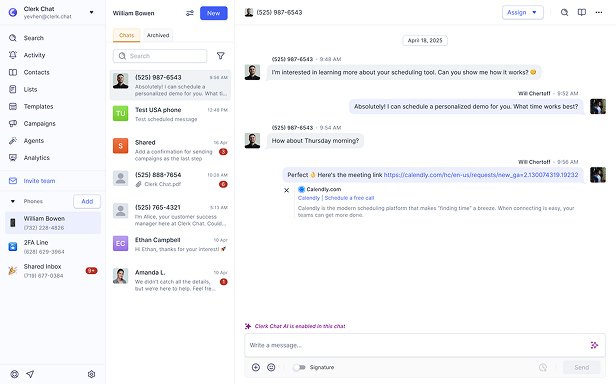
If your queue reps also need to reply to customer texts on the same numbers, add a shared messaging layer that works the way the Queues app works for calls. See how teams text customers from Teams with shared inboxes, assignment, and status tracking on their existing business numbers.
Frequently Asked Questions
What is the Queues app in Microsoft Teams?
The Queues app is a Teams app for managing Teams Phone call queues and auto attendants. It gives authorized users real-time metrics, historical reports for up to 45 days, shared call history, queue membership controls, and Monitor, Whisper, Barge, and Takeover for coaching agents.
What license does the Teams Queues app require?
Each user needs a Teams Phone license and a Teams Premium license. Copilot in the Queues app also needs a Microsoft 365 Copilot license. After Teams Premium is assigned, Microsoft says the app can take up to 48 hours to appear.
Why can’t I see the Queues app in Teams?
Check that the user has both Teams Phone and Teams Premium, is voice enabled, belongs to at least one call queue, and is not on the Teams web client, which Microsoft does not support for the Queues app. Also allow up to 48 hours after licensing.
Is the Queues app available on mobile?
Yes. Microsoft lists iOS and Android as supported clients. In December 2026, Microsoft plans to add shared call history, Copilot on recorded calls, an updated recording banner, and real-time queue metrics to the mobile app.
How many call queues can a user have in the Queues app?
Microsoft recommends no more than 100 call queues per user and enforces a hard limit of 200. Each call queue supports up to 200 agents.
Does the Queues app show text messages?
No. Shared call history covers missed, answered, outgoing, and voicemail calls. Microsoft’s native Teams texting does not support numbers assigned to resource accounts, which are the numbers call queues use.
Do admins need to do anything for the December 2026 mobile updates?
Microsoft says no admin action is required before rollout. If you want shared call history or Copilot on mobile, make sure a Shared Call History template is assigned to your queues and automatic recording is on where you want Copilot.
The Bottom Line
The Teams Queues app is the supervisor’s view of Teams Phone: real-time metrics, 45 days of history, shared call history, and live coaching, for users with both Teams Phone and Teams Premium. The December 2026 updates in MC1556098, MC1552391, MC1552392, and Roadmap 579859 bring much of that to iOS and Android, without changing licensing or limits.
What the Queues app will not do is track the texts that land on your queue numbers. If your busiest lines also hear from customers by text, plan the messaging side alongside your queues. Book a demo and we will map which lines need queues, which need reporting, and which need a shared inbox for texts.
#Subscribe
Get product updates in your inbox
Tutorials, features, and Clerk Chat news delivered straight to you.