








Why Microsoft Teams SMS Shows Not Available: Calling Plans, Operator Connect, and Resource Accounts


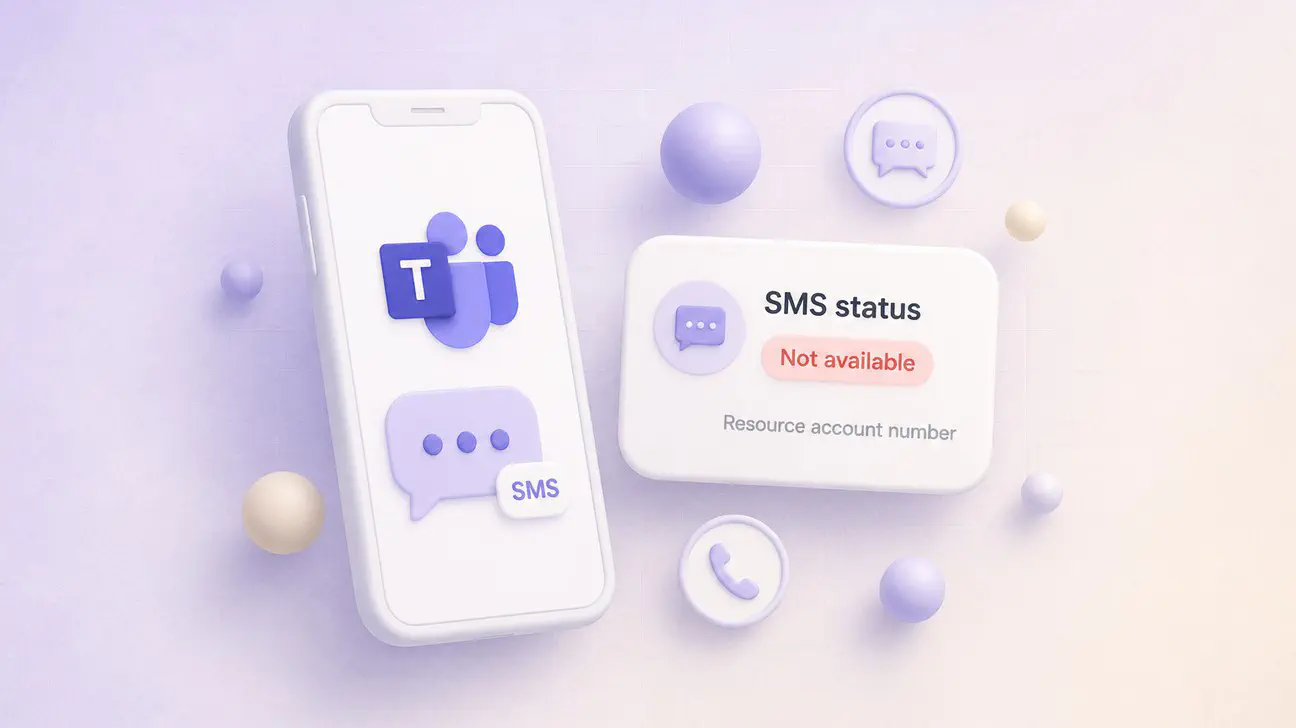
When you open the Microsoft Teams admin center, navigate to a phone number, and see “SMS status: Not available,” it is usually not a configuration mistake. It is the number itself, the PSTN connection path, or the type of account it is assigned to. Microsoft’s native SMS for Microsoft Teams is limited to specific number types, specific licenses, and specific countries. Everything outside that boundary shows Not available.
This is the troubleshooting guide for why SMS drops off your Teams Phone number, when the toggle never appears, and what the SMS status values actually mean. It covers the difference between Calling Plan numbers, Operator Connect numbers, and Direct Routing numbers for SMS eligibility. It covers why resource accounts for call queues and auto attendants are marked Not available. It covers the US and Canada regional lock, the 10DLC campaign requirement, and the Customer Update Pending state that looks like a broken SMS feature but is actually a campaign review hold.
If you checked the phone number in Teams admin and found Not available where you expected a toggle, this is what that status means and what it will take to change it.
In this article:
What SMS Status Not Available Actually Means
Microsoft’s SMS management documentation defines four SMS status values in the Teams admin center under Voice, Phone numbers, Numbers:
| SMS status | What it means |
|---|---|
| Not available | SMS is not available on the phone number due to configuration (such as being assigned to a Resource Account) or the number itself does not support SMS. |
| Not Activated | SMS is available on the number but has not been activated yet. |
| In Progress | SMS activation is in progress. This can take up to two hours. |
| Activated | SMS has been successfully activated on the number. |
Not available is the catch-all. It includes:
- Numbers assigned to resource accounts used by call queues and auto attendants.
- Numbers that are not Microsoft Teams Calling Plan numbers.
- Numbers in regions where native Teams SMS is not supported.
- Toll-free numbers, even when they are Calling Plan numbers in the US.
- Numbers that are Calling Plan numbers but are missing required licenses on the assigned user.
The status column does not explain which reason applies to your number. If you see Not available, the first step is to confirm the number type, the number source, the assignment target, and the region.
Calling Plan Numbers vs Operator Connect vs Direct Routing
Native SMS in Microsoft Teams is a Microsoft Teams Calling Plan feature only. Microsoft’s SMS overview for Teams is explicit:
Native SMS in Microsoft Teams is available for Microsoft Teams Calling Plans users in the United States (including Puerto Rico) and Canada only.
That means:
- Microsoft Calling Plan numbers in the US, Puerto Rico, and Canada can be SMS-enabled if they meet the other requirements (assigned to a user, not a resource account, with the right licenses, and with a registered 10DLC brand and campaign).
- Operator Connect numbers are not Calling Plan numbers. They come from a carrier partner through the Operator Connect program. They are not eligible for native Teams SMS through the Teams admin center SMS toggle, even when the Operator Connect carrier separately provides SMS on that same number.
- Direct Routing numbers are SIP trunked from your own SIP provider. They are not Microsoft numbers and are not eligible for native Teams SMS through the admin center.
If your number is an Operator Connect or Direct Routing number, the SMS status in Teams admin will show Not available because native SMS is a Calling Plan feature. That does not mean the number cannot send or receive SMS at all. It means Microsoft’s native SMS path does not apply, and if SMS is required, it must be handled by the carrier (for Operator Connect) or through a messaging layer like Clerk Chat that supports Teams Phone numbers regardless of PSTN path.
Our Direct Routing vs Operator Connect guide covers the broader differences between these three PSTN paths. For SMS specifically, the distinction is: Calling Plan numbers can use native Teams SMS if they meet the other requirements. Operator Connect and Direct Routing numbers show Not available and require a different approach if texting is needed.
Resource Accounts, Call Queues, and Auto Attendants
Resource accounts are the accounts Microsoft Teams uses to represent call queues and auto attendants. A resource account holds the phone number the queue or auto attendant answers, and it holds the identity the voice app uses when it places or transfers calls.
Resource accounts are disabled for sign-in. They do not have a mailbox, a chat presence, or a regular Teams client session. They exist to hold configuration and phone number assignments for voice applications.
Microsoft’s SMS management page states that SMS status Not available includes “numbers assigned to a Resource Account.” On the February 2026 Microsoft Q&A thread about shared SMS on a healthcare call queue, Microsoft staff confirmed that a call queue or auto attendant number is not expected to support SMS the way a user-assigned Calling Plan number can. Teams does not offer a native shared SMS inbox, shared SMS history, or multi-agent texting on a queue or auto attendant number.
That means:
- If you assign a Calling Plan number to a resource account for a call queue, the SMS status will show Not available.
- If you assign a Calling Plan number to a resource account for an auto attendant, the SMS status will show Not available.
- If you reassign that same number to a regular user (not a resource account), and the number meets the other SMS requirements, the status can change to Not Activated or Activated.
This is a common surprise for organizations migrating from PBX systems where the main number could both ring a queue and receive shared texts. Microsoft Teams separates those functions. The queue or auto attendant number is for voice and voicemail. If customers need to text that same public number, native SMS will not cover it, and a shared texting layer is required.
Brand and Campaign (10DLC) Blockers That Look Like Missing SMS
Native Teams SMS in the United States uses 10DLC (10-digit long code) for A2P (application-to-person) business messaging. Before a Calling Plan number can send or receive SMS, the tenant must have a registered brand and campaign through The Campaign Registry (TCR).
Microsoft’s SMS overview explains the brand and campaign model:
- One brand per tenant.
- One campaign per tenant by default. The default campaign supports up to 49 Calling Plan numbers for SMS.
- Brand registration and campaign registration happen through the Teams admin center under Voice, then 10DLC Brand and Campaign Management.
- Processing time for brand and campaign approval can take longer than usual due to request volume, as noted in Microsoft documentation.
If the brand or campaign is not registered, or if the campaign is rejected, Calling Plan numbers that would otherwise be eligible for SMS will still show Not available or Not Activated until the brand and campaign are approved.
Message Center MC1134740, published August 13, 2025, introduced a Customer Update Pending status for campaigns that are rejected. Organizations can resubmit a campaign up to four times after addressing the rejection reason. That Customer Update Pending state applies to the campaign, not directly to the number’s SMS status, but while the campaign is pending or rejected, the numbers associated with it will not activate for SMS.
The admin path is:
- Register the brand (your organization) with business details, tax ID, and address.
- Wait for brand approval.
- Create a campaign describing the SMS use case (customer service, notifications, appointment reminders, etc.).
- Wait for campaign approval.
- Enable SMS on individual Calling Plan numbers once the campaign is approved.
If you see Not available on a user-assigned Calling Plan number in the US or Canada, and the number is not a resource account, check whether the tenant has a registered and approved 10DLC brand and campaign. Without them, the SMS activation path is blocked.
Regions, Number Types, and Feature Limits That Still Apply When Activated
Even after a number shows Activated for SMS, native Teams SMS has hard limits that apply to every number.
Regions. Native SMS is available in the United States (including Puerto Rico) and Canada only. Users outside those regions cannot send or receive SMS through Teams native SMS. The SMS overview page states that users must be regionally assigned to the US or Canada. Recipients must also be in those regions for SMS delivery to work.
Number types. 10DLC long codes only. Toll-free numbers, short codes, and alphanumeric sender IDs are not supported for native Teams SMS, even when they are Calling Plan numbers. If your main customer service line is a toll-free number, it will show Not available for SMS.
Message format. 1:1 chat only. MMS, attachments, emojis, stickers, and GIFs are not supported. Each SMS is plain text. If a user tries to send an emoji or an attachment, it will not transmit.
Licenses. The user assigned to the number needs:
- A Microsoft Teams license.
- A Microsoft Teams Phone license.
- A Microsoft Teams Calling Plan license (Domestic, Domestic and International, or Pay-As-You-Go).
Without all three, the number will not be SMS-eligible even if it is a Calling Plan number in the US or Canada.
SMS pool and pricing. Each Calling Plan includes an SMS bundle. The SMS overview table lists:
- Pay-As-You-Go Calling Plan: 0 included SMS, pay per segment.
- Domestic Calling Plan (120 min): 100 SMS segments per month.
- Domestic Calling Plan or Domestic and International Calling Plan: 200 SMS segments per month.
Overage pricing is $0.0075 USD per segment sent or received in the US and Puerto Rico, and $0.01028 CAD per segment in Canada. Each message up to 160 characters is one segment. Longer messages split into multiple segments.
Rate limits. Carrier rate limits apply per campaign and per brand. For example:
- AT&T UCaaS low volume: 75 SMS per minute per campaign.
- T-Mobile low volume: 2,000 SMS per day per brand.
Higher throughput tiers exist based on brand trust score and campaign type. If your use case requires more than low-volume limits, plan the brand registration to qualify for a higher tier.
Not available in GCC. Native Teams SMS is available in public clouds only. Government Community Cloud (GCC) tenants do not have access to the feature.
How to Check the Number in Teams Admin Center
To see the SMS status for a phone number:
- Sign in to the Microsoft Teams admin center as a Teams administrator.
- Go to Voice, then Phone numbers.
- In the Numbers tab, find the phone number.
- Check the SMS status column.
If the status is Not available, check:
- Number source. Is it a Calling Plan number, or is it Operator Connect or Direct Routing?
- Assignment. Is it assigned to a user, or is it assigned to a resource account?
- Region. Is it a US or Canadian number?
- Number type. Is it a 10DLC long code, or is it toll-free?
- Licenses. Does the assigned user have Teams, Teams Phone, and a Calling Plan license?
- 10DLC. Does the tenant have a registered and approved brand and campaign?
The SMS status column alone will not tell you which blocker applies. You have to cross-check the number details, the assignment, and the tenant’s SMS registration state.
When Native SMS Is Enough vs When You Need a Teams Messaging Layer
Native Teams SMS works for:
- One-to-one texting from a user’s personal Calling Plan number in the US or Canada.
- Plain text messages under 160 characters (or longer messages that auto-segment).
- Use cases where each person has their own number and manages their own SMS conversations in the Teams chat interface.
Native SMS does not work for:
- Operator Connect or Direct Routing numbers.
- Toll-free numbers.
- Call queue or auto attendant numbers.
- Shared inboxes where multiple agents need to see and reply to the same customer SMS thread.
- MMS, images, or attachments.
- Group SMS or SMS broadcasts.
- Regions outside the US, Puerto Rico, and Canada.
If your requirement is “the main office number needs to text customers, and multiple people need to see and reply,” native Teams SMS is not the product Microsoft ships for that. The queue or auto attendant number will show Not available, and a one-to-one user number does not create a shared inbox.
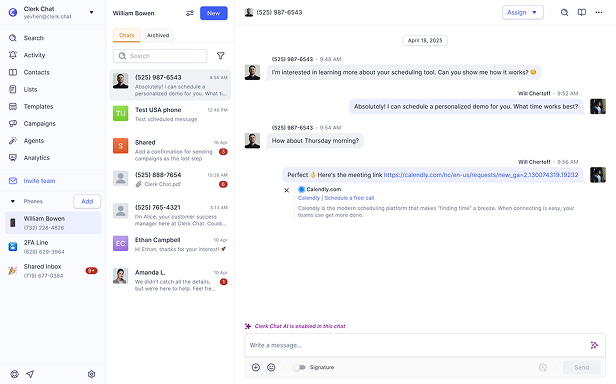
Clerk Chat covers that gap. It sits alongside Teams Phone as a shared SMS and MMS layer for numbers that are Not available in the admin center. It works with Calling Plan, Operator Connect, and Direct Routing numbers. It creates a shared inbox in Teams for queue-style texting, with agent assignment, status tracking, and conversation history that the native SMS feature does not provide.
If your numbers show Activated and one-to-one SMS is all you need, native SMS is fine. If your numbers show Not available, or if you need a shared texting workflow the native product does not cover, a messaging layer is the path Microsoft’s documentation already points to.
Frequently Asked Questions
Why does my Microsoft Teams number show SMS Not available?
SMS status Not available means SMS is not supported on that number due to its type, configuration, or region. Common causes include: the number is assigned to a resource account for a call queue or auto attendant, the number is an Operator Connect or Direct Routing number (not a Calling Plan number), the number is toll-free, the number is outside the US and Canada, or the assigned user is missing required licenses.
Does Operator Connect support native Teams SMS?
No. Native SMS in Microsoft Teams is limited to Microsoft Teams Calling Plan numbers in the United States, Puerto Rico, and Canada. Operator Connect numbers are not Calling Plan numbers, so they show SMS status Not available in the Teams admin center. Some Operator Connect carriers provide SMS separately through their own systems, but it is not the native Teams SMS toggle in the admin center.
Can a call queue or auto attendant number send SMS in Teams?
Not with native SMS. Call queue and auto attendant numbers are assigned to resource accounts, and resource accounts show SMS status Not available. Microsoft has confirmed that Teams does not offer a native shared SMS inbox or multi-agent texting on a queue or auto attendant number. If customers need to text the queue or auto attendant number, a Teams messaging layer like Clerk Chat is required.
What licenses do I need for Teams Phone SMS?
The user assigned to the Calling Plan number needs a Microsoft Teams license, a Microsoft Teams Phone license, and a Microsoft Teams Calling Plan license (Domestic, Domestic and International, or Pay-As-You-Go). The tenant also needs a registered 10DLC brand and campaign through The Campaign Registry before any Calling Plan numbers can be SMS-enabled.
Does Teams Phone SMS support MMS or group texts?
No. Native Teams SMS is 1:1 chat only, plain text, without MMS, attachments, emojis, stickers, or GIFs. Toll-free numbers, short codes, and alphanumeric sender IDs are also not supported. If MMS or group SMS is required, a third-party messaging layer is needed.
What is Customer Update Pending on an SMS campaign?
Customer Update Pending is a status Microsoft added in August 2025 (Message Center MC1134740) for 10DLC campaigns that are rejected by The Campaign Registry. It allows organizations to update the campaign details and resubmit up to four times. While the campaign is in Customer Update Pending or rejected state, the Calling Plan numbers associated with that campaign will not activate for SMS.
Can I enable SMS on a Direct Routing number?
No. Native SMS is limited to Microsoft Teams Calling Plan numbers. Direct Routing numbers are SIP trunked from your own provider and are not Calling Plan numbers, so they show SMS status Not available. If SMS is required on a Direct Routing number, it must be handled through your SIP provider or a Teams messaging layer.
Why does my toll-free Teams number show SMS Not available?
Native Teams SMS is limited to 10DLC long codes. Toll-free numbers are not supported for SMS, even when they are Calling Plan numbers in the US or Canada. Toll-free numbers will always show SMS status Not available.
How long does SMS activation take after I enable it?
Microsoft’s SMS management documentation states that SMS activation can show In Progress status for up to two hours. If the status remains In Progress longer than that, or if it returns to Not Activated, check the 10DLC brand and campaign status, the user’s license assignments, and whether the number is actually a Calling Plan number in the US or Canada.
The Bottom Line
When Microsoft Teams admin center shows SMS status Not available on a phone number, it is not a broken feature. It is the number type, the PSTN path, the account type it is assigned to, or the region. Native SMS is limited to user-assigned Microsoft Teams Calling Plan numbers in the United States, Puerto Rico, and Canada, with 10DLC brand and campaign registration complete, and with Teams, Teams Phone, and Calling Plan licenses on the user.
Operator Connect and Direct Routing numbers show Not available because they are not Calling Plan numbers. Resource account numbers for call queues and auto attendants show Not available because Microsoft does not offer native shared SMS on voice applications. Toll-free numbers show Not available because native SMS is 10DLC long codes only.
If your use case is one-to-one texting from a user’s personal number, and the number is a Calling Plan number in the US or Canada, native SMS can work once you register the brand and campaign and assign the right licenses. If your use case is shared texting on a queue or auto attendant number, or if your numbers are Operator Connect or Direct Routing, or if you need MMS and group messaging, native SMS is not the product Microsoft ships for that.
Need SMS on the Teams Phone numbers that show Not available in the admin center, with a shared inbox for queue-style customer texting? Book a demo and we will map your number sources, PSTN paths, and what a Teams messaging layer looks like for the numbers native SMS does not cover.
#Subscribe
Get product updates in your inbox
Tutorials, features, and Clerk Chat news delivered straight to you.