











Text customers directly fromMicrosoft Teams
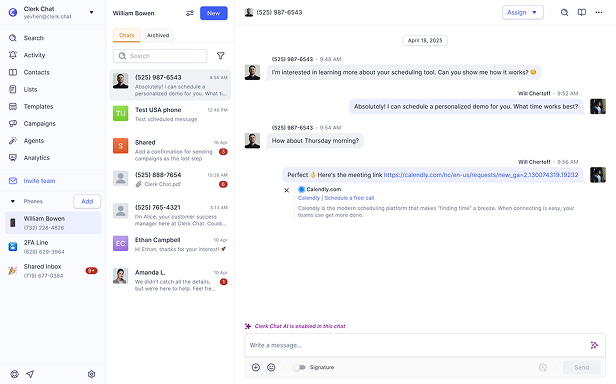
Send and receive SMS, deploy AI agents, and keep every conversation logged—all without leaving Microsoft Teams.

Your request has been submitted!
Someone from our team will be in touch shortly.
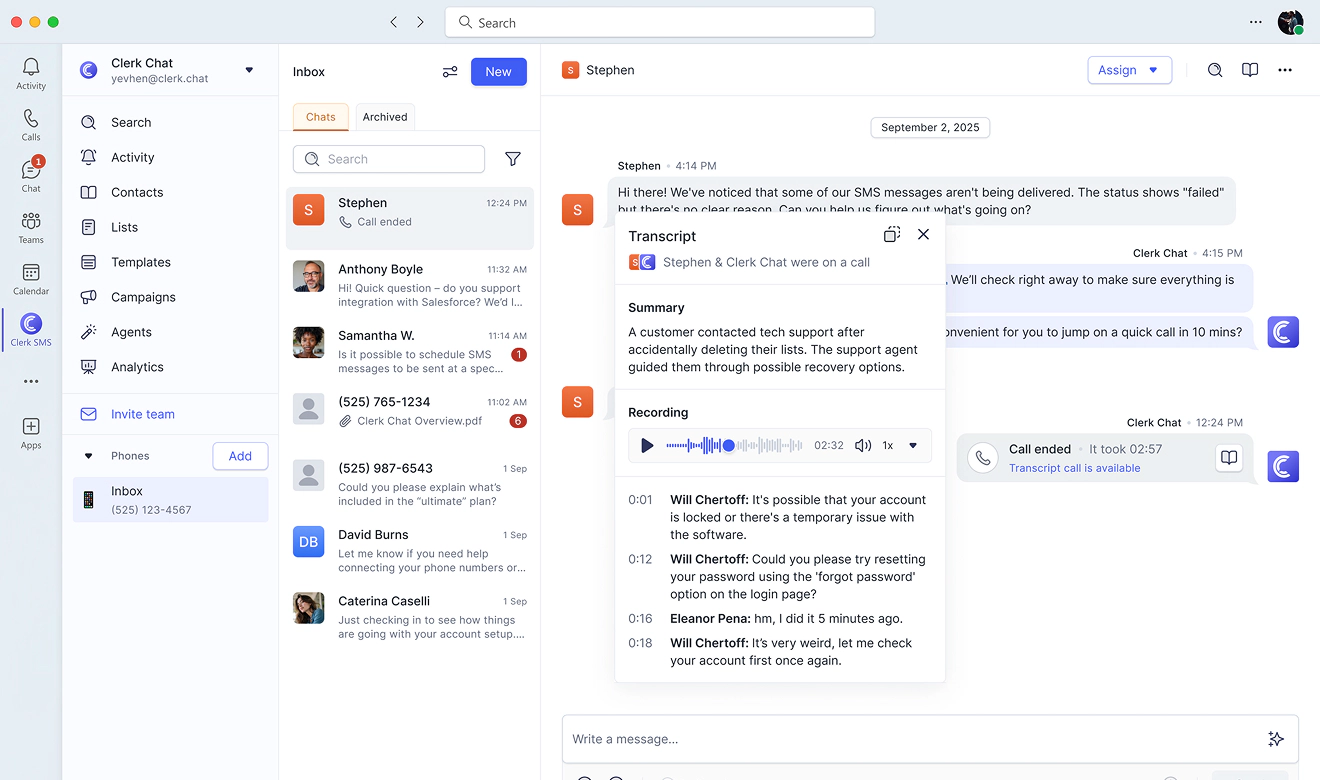

Interactive Microsoft Teams Product Tour
Showcasing key features in minutes









Microsoft Teams, but conversational
Your team already lives in Teams. Now add AI texting and voice right where work happens.

Top-rated Teams integration
The highest-rated business texting solution in the Microsoft ecosystem. Native integration means zero friction, immediate adoption.

Built for how you work

AI Handles First Response
AI texting and voice agents answer customer questions instantly. Your team jumps in only when human judgment matters.
Reply in under 10 seconds

Shared Inbox Visibility
No more 'who's handling this?' Every SMS conversation appears in Teams channels. Full transparency, zero duplicate responses.
Everyone sees the context

Enterprise-grade compliance
Export to Global Relay, Smarsh, or Azure Storage. Meet regulatory requirements for financial services, healthcare, and legal industries.
Archive everything, automatically

Route to right person
Round-robin distribution, skill-based routing, or manual assignment. Messages reach the best person to solve the problem.
Smart assignment, fast resolution
Unified communication hub
Handle AI voice calls, SMS campaigns, and internal collaboration without app-switching. Teams becomes your complete customer communication center.
Voice, text, chat — one place
 Jeff Gelwix
President @ Sonic Drive-in
Clerk Chat is a beautifully built solution that is flexible, customizable, intuitive, and perfect for collaboration. We love the Clerk Chat platform, but what we love even more is how amazing and caring the team behind it is.
 Read more on Trustpilot
 Cruz M.
Professional Independent Marketer
As a marketing professional, I had trouble communicating with my contractors because we used Slack and Teams, but they weren't always online. I spent months looking for a tool to help me send text messages or WhatsApp messages to them so they could log in to Zoom and Google Meets. Plus, Clerk Chat also allows me text my clients that I have on HubSpot CRM.
 Read more on G2
 Katrina Bogany
President of Fab Finishes, Inc.
Clerk Chat is truly the missing piece of the puzzle with Teams! It makes Teams a complete communications solution, by adding the vitally important SMS texting functionality to the platform. In addition, Clerk Chat’s support is excellent.
Read more on Trustpilot
- Read case study
60%+
Ticket sales
20%+
CTR
70%+
Fan engagement
“That one-to-one relationship is the holy grail for any marketer…when you think about what this capability unlocks, it is perfect for this moment. It’s a first in sports, first in entertainment, first in North America, and that is a really exciting capability.”

- Read case study
92%
Lead Qualification
< 5 sec
Response Times
“Our goal has always been to build something we'd be proud to use ourselves. If our AI couldn't deliver for our team, we'd never expect it to deliver for yours. That's the bar.”

- Read case study
93%
Deflection Rate
+50%
Faster Resolution
“Our goal has always been to build something we'd be proud to use ourselves. If our AI couldn't deliver for our team, we'd never expect it to deliver for yours. That's the bar.”

Alexander Haque Co-Founder at Clerk Chat


- Read case study
+25%
Qualified leads
1000+
AI messages sent daily
100+
CRM updates made by AI daily
“By introducing Clerk Chat AI into our business we've completely transformed our communication with leads, leading to more conversations with qualified leads, and increased sales in our first month with Clerk Chat”


- Read case study
+20%
Staff efficiency
15K+
Total messages sent
+30%
Increase in appointments
“Our patients and families are busy. Being able to communicate with everyone through text messaging has been critical.It allows us to be more responsive to patient needs and provide a higher level of personalized care.”

Stella Fulman Co-Founder at Audiology Island



FAQ
Have questions? We've got answers.
Find what you need quickly and clearly with our most frequently asked questions.
Microsoft Dynamics streamlines business operations, aiming for efficiency and cost-effectiveness. By linking Clerk Chat with Microsoft Dynamics through the Integrations Settings, you can enable your number to send SMS messages to contacts via Clerk Chat. To achieve this, you'll need access to your Microsoft Dynamics workspace URL. Integrating Clerk Chat with Microsoft Dynamics simplifies appointment management, reminder sending, attendance confirmation, information sharing, and enhances engagement with clients and prospects. Automated and instant SMS workflows enhance outcomes in appointment scheduling, lead nurturing, support ticket management, and more.
SMS Office 365 offers several advantages over email for business communication. It boasts higher open and response rates, with texts typically read within minutes of receipt, ensuring prompt attention to important messages. SMS is more direct and personal, often leading to better engagement from recipients. It's also more accessible, as it doesn't require an internet connection, making it ideal for reaching people in areas with limited connectivity.
SMS facilitates real-time and relevant mobile communication directly in Dynamics 365 for marketing, sales, service delivery, and retention. It grabs attention and enables conversational interactions. Send confirmations, reminders, and promotions, ask for feedback - and get guaranteed answers.
Yes, Microsoft Dynamics SMS enables you to automate workflows for tasks like lead assignment, support ticket generation, appointment setting, and other processes. To achieve this, you can configure specific SMS keywords, and the recipient's response will dictate the subsequent action. For instance, an SMS from a new potential client can quickly generate a lead record and send an email notification to sales representatives. SMS messages from customers can automatically create support tickets and notify service agents.
When using Clerk Chat and the Microsoft Dynamics SMS integration for text messaging, only the recipient and individuals with access to the originating inbox can view the SMS history. This access can be tailored in Clerk Chat Settings. It's crucial to remember that users must have the appropriate permissions to send text messages within Dynamics.
Many businesses prefer to use specialized business conversational messaging software like Clerk Chat. Clerk Chat provides an enterprise-grade platform with robust SMS management features including workflows, analytics, and contact customization. By using Clerk Chat’s Microsoft Dynamics SMS integration, companies can seamlessly and securely send SMS messages to their clients and customers.
Connect Teams to your customers
See how your team can text, call, and automate responses without leaving Teams. Book a demo and we'll show you the setup in your actual workspace.