









Texting + Voice for
Microsoft Teams
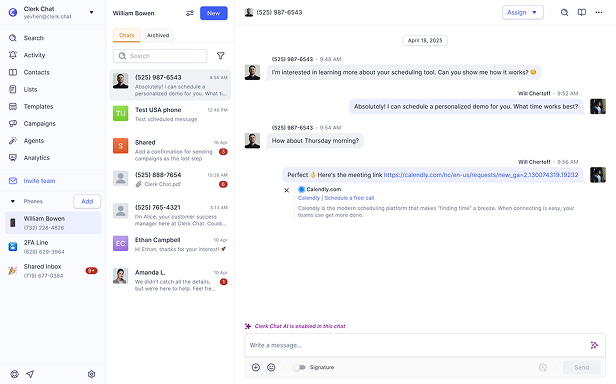
Unify calling and texting on your Microsoft Teams number - modern, conversational messaging for every step of the customer journey. Find out why Clerk Chat is Microsoft’s preferred enterprise messaging partner.

Trusted by 1,000+ companies on Microsoft Teams
From startups to the Fortune 500, Clerk Chat is the most compliant and intuitive way for your team to unlock conversational messaging.













The #1 rated SMS for Microsoft Teams
Enable SMS for Microsoft Teams with MMS, RCS, and WhatsApp on your existing Teams phone numbers. No porting, fast 10DLC registration, and unlimited messaging.
SMS, MMS, RCS, and WhatsApp - all on your Microsoft Teams number
Enable messaging on your existing Microsoft Teams phone numbers. No porting required. Need AI-powered calling and messaging? Explore AI agents for Teams.
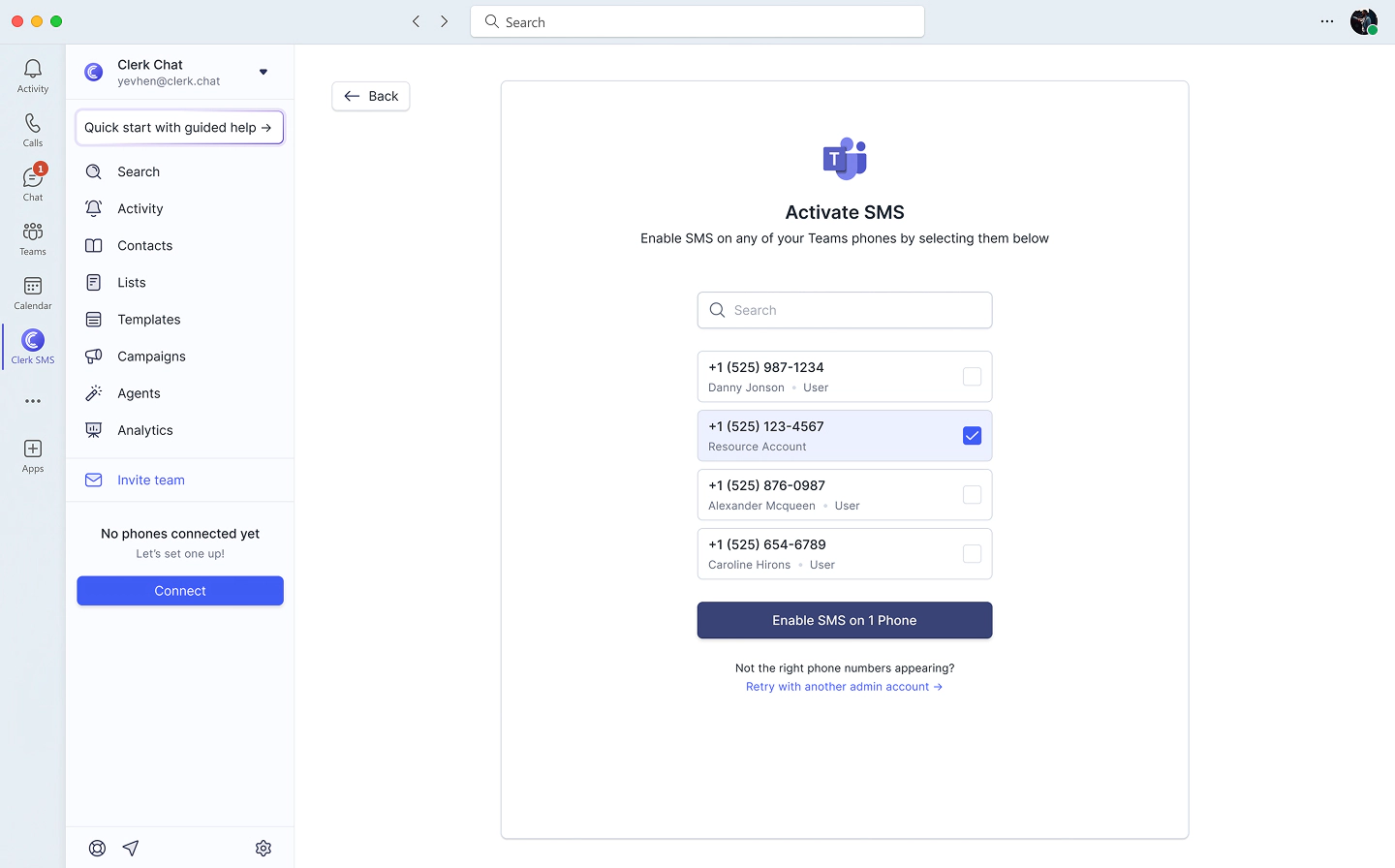
10DLC compliance in under 48 hours
Stuck waiting on Microsoft's 10DLC process? We have the fastest registration in the industry. Get compliant and start messaging ASAP.
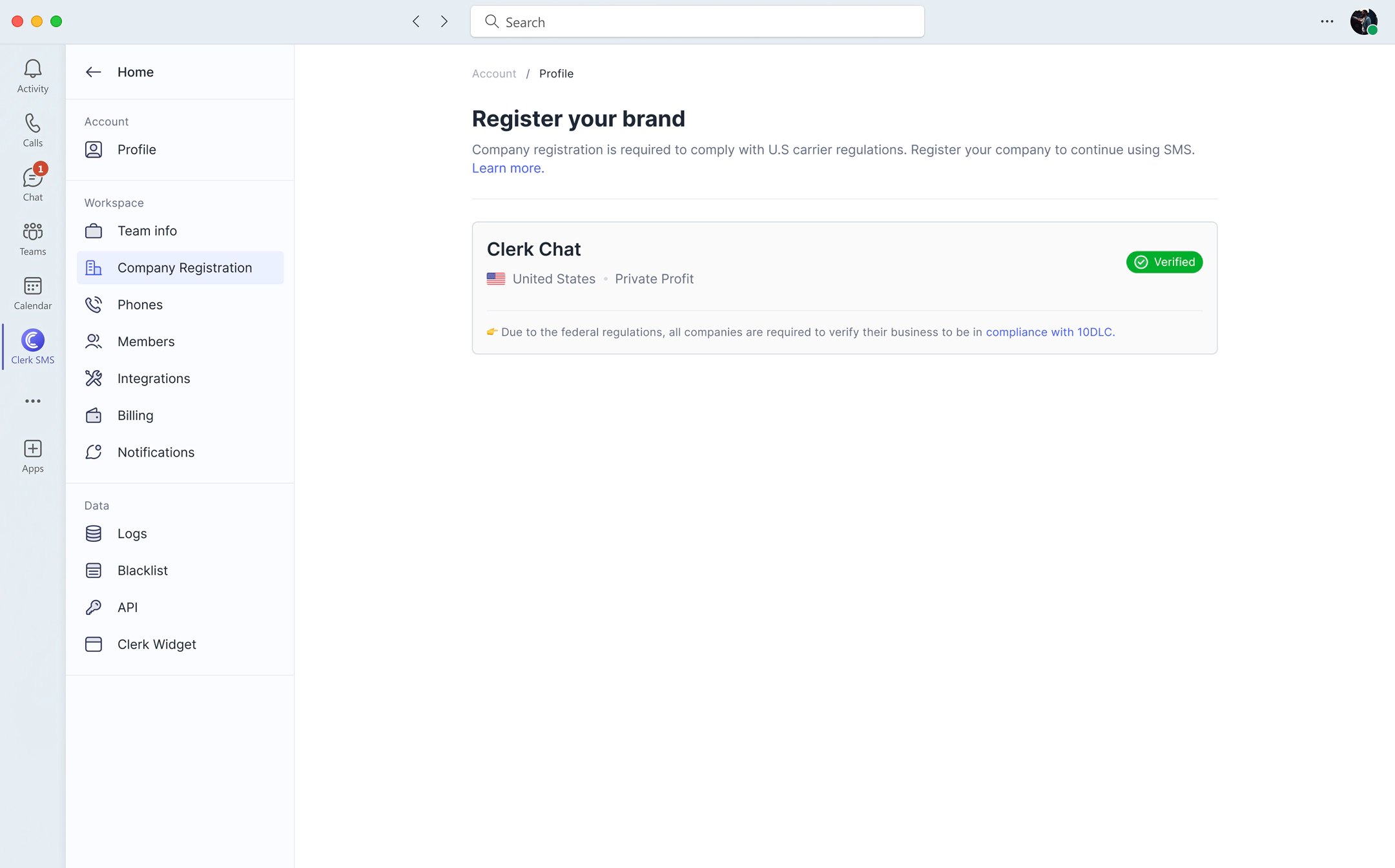
Built-in Analytics
Full visibility into calls and messages across your team. Track response times, delivery rates, and usage with built-in analytics. No separate tools required.
Comparison
Clerk Chat vs Native Microsoft Teams SMS
Native Microsoft Teams supports basic SMS, but Clerk Chat unlocks the full power of SMS for Microsoft Teams with features that Microsoft doesn't offer.
| Feature | Native Teams SMS | Clerk Chat |
|---|---|---|
| SMS messaging | Yes (1:1 only) | Yes (unlimited) |
| MMS (images & media) | No | Yes |
| RCS rich messaging | No | Yes |
| WhatsApp integration | No | Yes |
| Bulk SMS campaigns | No | Yes |
| Shared team inbox | No | Yes |
| AI agents | No | Yes |
| 10DLC registration speed | Weeks to months | Under 48 hours |
| Works with Operator Connect | Calling Plans only | Yes |
Teams Phone
Enable SMS on Microsoft Teams Phone Numbers
Already using Microsoft Teams Phone? Add SMS, MMS, and WhatsApp to your Teams phone numbers without changing your calling setup. Works with both Operator Connect and Calling Plans.
Works with Operator Connect
Clerk Chat is a certified Operator Connect partner. Route calls through us and save $12+/user/month compared to Microsoft Calling Plans, while getting full SMS capabilities on your Teams phone numbers.
AI-powered calling and messaging
Deploy AI agents for Microsoft Teams that handle calls, texts, and lead qualification 24/7. Perfect for after-hours support and high-volume customer communication.

Reviews
Highest rated SMS app in the
Microsoft App Store
2.5k+ reviews
 Jeff Gelwix
President @ Sonic Drive-in
Clerk Chat is a beautifully built solution that is flexible, customizable, intuitive, and perfect for collaboration. We love the Clerk Chat platform, but what we love even more is how amazing and caring the team behind it is.
 Cruz M.
Professional Independent Marketer
As a marketing professional, I had trouble communicating with my contractors because we used Slack and Teams, but they weren't always online. I spent months looking for a tool to help me send text messages or WhatsApp messages to them so they could log in to Zoom and Google Meets. Plus, Clerk Chat also allows me text my clients that I have on HubSpot CRM.
 Read more on G2
5.0
Read more on G2
5.0 Katrina Bogany
President of Fab Finishes, Inc.
Clerk Chat is truly the missing piece of the puzzle with Teams! It makes Teams a complete communications solution, by adding the vitally important SMS texting functionality to the platform. In addition, Clerk Chat’s support is excellent.

Ready to add SMS superpowers to Microsoft Teams?
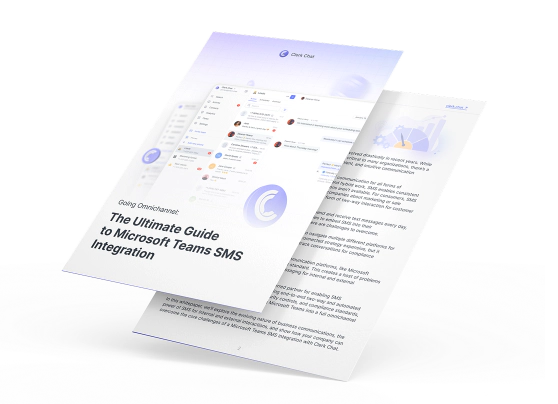
We've packed everything you need to know about Teams SMS integration into one actionable whitepaper. Grab your free copy and discover how hundreds of teams are already texting customers without ever leaving Teams - plus the exact steps to get it running in your organization this week.

Integrations
Integrate with Microsoft products you already use and love
We are Microsoft’s preferred enterprise messaging partner for a reason: all your contacts, conversations, and data are not only protected but also synced and archived automatically.
 Read more
Microsoft Outlook
One click to sync. Instantly pull in all your contacts and their key information like birthday, department, role etc.
 Read more
Microsoft Dynamics
Integrate with the leading CRM natively built for Microsoft Teams. Send messages to lists and groups to drive revenue.
 Read more
Microsoft Purview
Easily archive your text message data for compliance and e-discovery. A legal and compliance officer's dream come true.

SMS
Activate the most adaptable communication method today.

RCS
A modern messaging protocol that upgrades traditional SMS.

WhatsApp
Customers can find your business and instantly start a conversation.

eFax
Keep your fax number or get a new one and ditch the machine.

Ask our team
We’ll help you find the perfect solution
Microsoft Teams Operator Connect
Save on telephony by connecting an existing Operator Connect provider or using Clerk Chat as your carrier. Skip expensive Microsoft Calling Plans and go directly to carriers.












FAQ
Have questions? We've got answers.
Find what you need quickly and clearly with our most frequently asked questions.
Native Microsoft Teams SMS requires a Teams Phone Standard license ($10/user/month) plus a Calling Plan ($12/user/month minimum) — totaling at least $22/user/month before usage. With Clerk Chat, you only need the Teams Phone Standard license ($10/user) and our unlimited SMS plan. Most businesses save 40% or more compared to Microsoft’s native pricing, especially after the July 2026 price increases.
Yes. Clerk Chat is a certified Operator Connect partner, so you can route calls through us instead of buying a Calling Plan — saving $12+/user/month. Learn more about Operator Connect.
Native Microsoft Teams SMS supports basic text messages only — no MMS (pictures/media), no RCS, and no WhatsApp. Clerk Chat adds full MMS support for images and media, RCS rich messaging, and WhatsApp Business integration, all accessible directly from your Teams interface using your existing Teams phone numbers.
Yes. Clerk Chat includes AI voice and messaging agents that handle calls, texts, and lead qualification 24/7. See how AI agents work in Teams.
Native Microsoft Teams does not support SMS campaigns or bulk messaging. Clerk Chat enables unlimited campaign messaging directly from Teams — send to contact lists of any size, schedule messages, and track delivery and response rates. There are no recipient caps and full opt-in/opt-out compliance is built in.
Calling Plans bundle Microsoft’s carrier services at $12+/user/month. Operator Connect lets you bring your own carrier — typically saving 20–40%. Compare Operator Connect options.
Clerk Chat completes 10DLC brand and campaign registration in under 48 hours. Many other providers take weeks or even months. Fast registration means you can start sending compliant business SMS from Microsoft Teams almost immediately.
Yes, Clerk Chat supports both Direct Routing and Operator Connect. Bring your existing numbers or use Clerk Chat as your Operator Connect provider — either way you get full SMS, MMS, RCS, and WhatsApp. Learn about Operator Connect setup.


“Conversational messaging is transforming the way companies engage with customers. Start creating personalized concierge-style conversations today.”
Alexander Haque Co-Founder at Clerk Chat