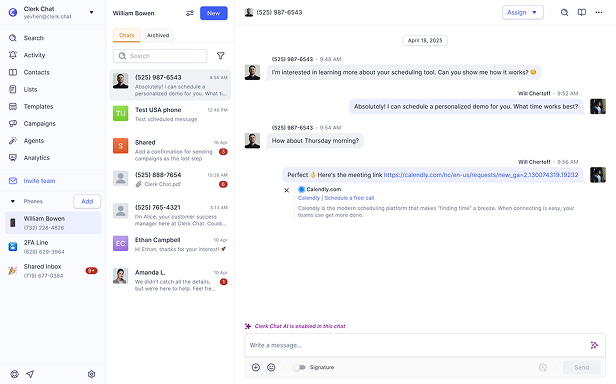













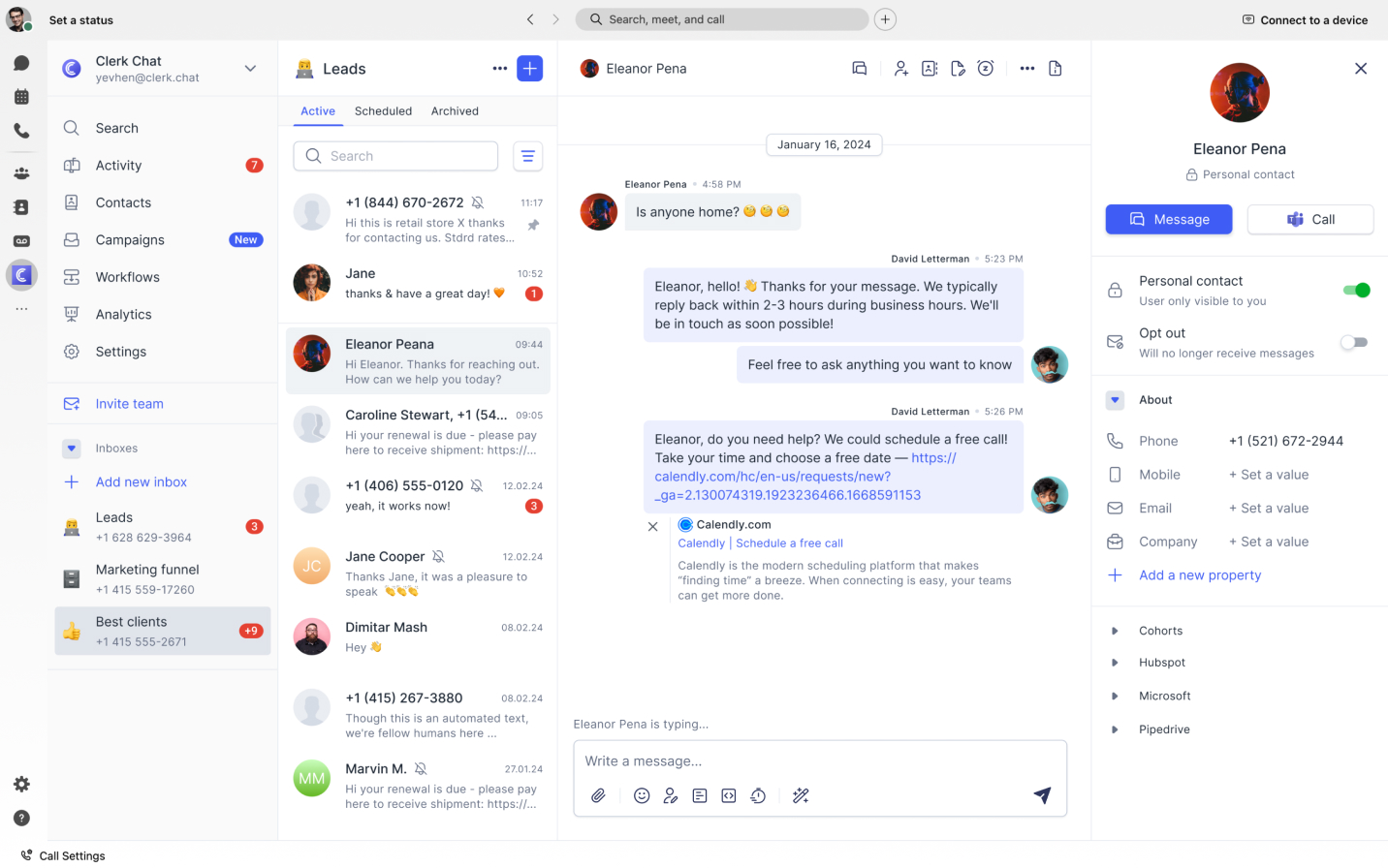
Webex SMS Integration
Enable SMS and MMS on your existing Webex Calling phone numbers with Clerk Chat. 10DLC compliant business texting, bulk messaging, and automation - no new numbers needed.

Trusted by 1,000+ companies
From startups to the Fortune 500, Clerk Chat is the most compliant and intuitive way for your team to unlock conversational messaging.













Text-enable your Webex Calling numbers
Use your existing business phone numbers for SMS, stay 10DLC compliant, and manage all messaging inside Webex
Use your existing Webex phone number
No new numbers needed. Clerk Chat text-enables your current Webex Calling phone numbers for SMS and MMS. Your customers already know your number - now they can text it too. Keep your business identity, skip the number porting headaches, and start texting from the numbers your team already uses.
10DLC compliant out of the box
US carriers now block unregistered business texting. Clerk Chat handles your 10DLC brand and campaign registration so your messages actually get delivered. Stay compliant with carrier requirements and TCPA regulations without the weeks-long registration process or the guesswork.
Reviews
What our customers are saying
 Jeff Gelwix
President @ Sonic Drive-in
Clerk Chat is a beautifully built solution that is flexible, customizable, intuitive, and perfect for collaboration. We love the Clerk Chat platform, but what we love even more is how amazing and caring the team behind it is.
 Cruz M.
Professional Independent Marketer
As a marketing professional, I had trouble communicating with my contractors because we used Slack and Teams, but they weren't always online. I spent months looking for a tool to help me send text messages or WhatsApp messages to them so they could log in to Zoom and Google Meets. Plus, Clerk Chat also allows me text my clients that I have on HubSpot CRM.
 Katrina Bogany
President of Fab Finishes, Inc.
Clerk Chat is truly the missing piece of the puzzle with Teams! It makes Teams a complete communications solution, by adding the vitally important SMS texting functionality to the platform. In addition, Clerk Chat’s support is excellent.


Everything you need for Webex SMS

SMS and MMS in Webex
Send and receive text messages, images, and files directly inside Webex. Your team can text customers, leads, and contacts from the same platform they already use for calls and meetings. No app switching, no separate SMS provider.

Keep your business numbers
Text-enable the Webex Calling numbers your business already owns. Customers can call and text the same number. No porting, no new numbers to manage, no changes to your existing Webex Calling setup.

Bulk messaging and automation
Send SMS to multiple contacts at once for announcements, appointment reminders, or marketing campaigns. Set up automated text workflows and connect to your CRM, helpdesk, or other business tools through Clerk Chat's API.

FAQ
Helpful answers
Common questions about enabling SMS in Webex with Clerk Chat.
Yes. Clerk Chat text-enables your existing Webex Calling phone numbers for SMS and MMS. You don't need new numbers or number porting. Your customers can call and text the same business number they already know.
10DLC (10-Digit Long Code) is a registration system required by US carriers for business text messaging. Since February 2025, carriers block SMS from unregistered business numbers. Clerk Chat handles your 10DLC brand and campaign registration so your messages get delivered reliably. This includes registering with The Campaign Registry (TCR) and meeting all carrier compliance requirements.
Webex offers limited native business texting, but only for Enterprise customers with Cisco Calling Plans in the US and Canada. It lacks MMS support, has a 6 message per minute rate limit, and requires separate 10DLC registration through Control Hub. Clerk Chat removes these limitations and works across all Webex Calling plans with full SMS, MMS, and bulk messaging support.
Yes. Clerk Chat supports both SMS and MMS in Webex, so your team can send and receive images, documents, and media files alongside text messages. Native Webex business texting does not support MMS, which is one of the key reasons organizations choose Clerk Chat.
No. Unlike native Webex business texting which requires an Enterprise plan with Cisco Calling Plans, Clerk Chat works with any Webex Calling setup. You can text-enable your existing numbers regardless of your carrier or calling plan.
Yes. With Clerk Chat, you send standard SMS and MMS messages to any mobile phone number. Recipients don't need Webex or any special app. Messages are delivered as regular text messages to their phone.
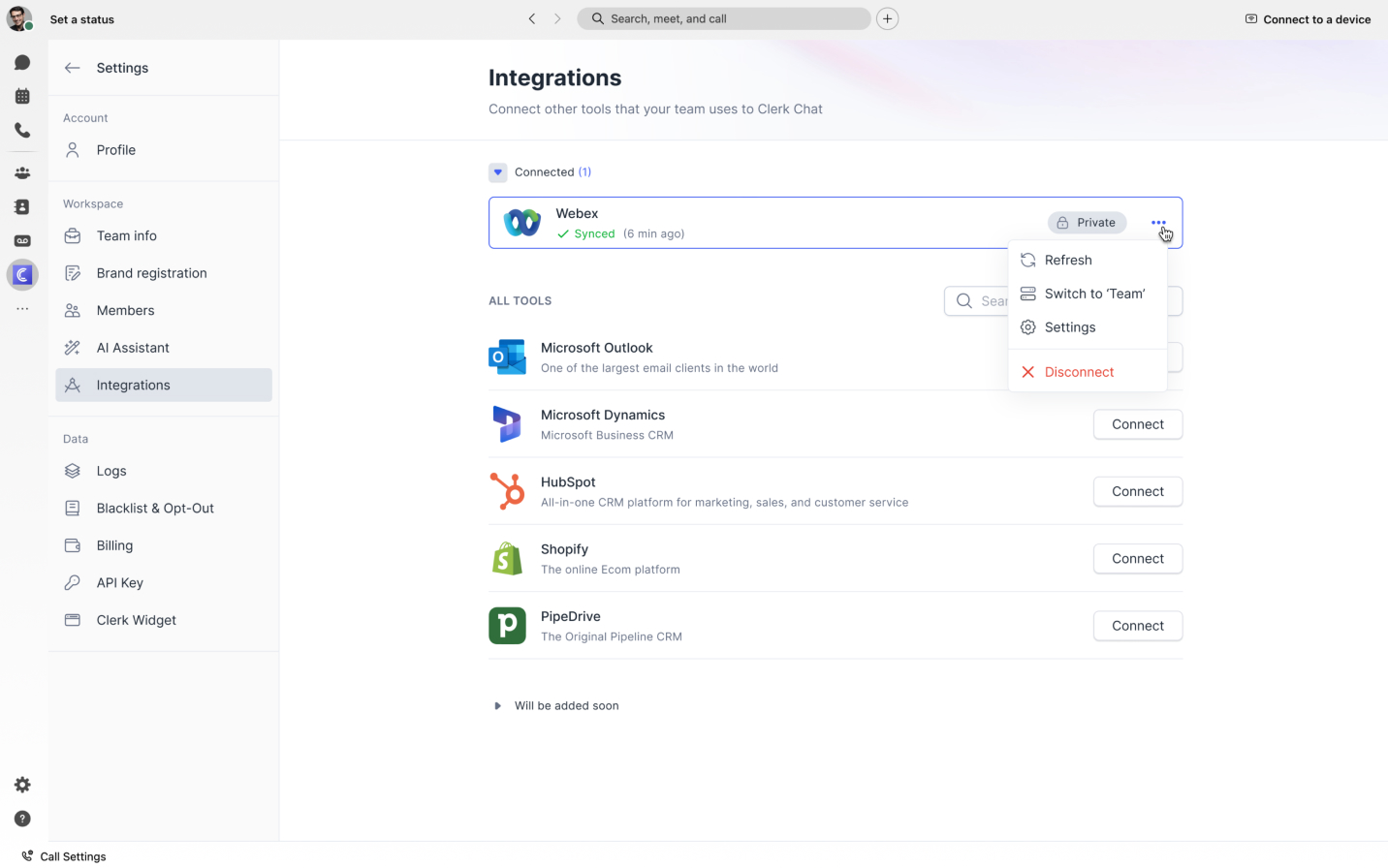
Setup is straightforward. Connect your Webex account to Clerk Chat, select the phone numbers you want to text-enable, and Clerk Chat handles the 10DLC registration. Most teams are sending texts within minutes of connecting. No SBCs, no complex configuration, no IT overhead.
Yes. Clerk Chat lets you send bulk SMS and MMS to multiple contacts at once through Webex. This is ideal for appointment reminders, announcements, promotions, and customer updates. You can also automate messaging workflows through Clerk Chat's API.
Clerk Chat is built with compliance in mind. We handle 10DLC registration, support opt-in and opt-out management, and provide the tools you need to meet TCPA requirements. Your organization is responsible for maintaining proper consent records, and Clerk Chat makes that process simple.
Both platforms have limited native SMS capabilities. Clerk Chat works with both Webex and Microsoft Teams, providing the same full-featured SMS and MMS experience regardless of which platform you use. If your organization uses Webex for calling and collaboration, Clerk Chat gives you the same business texting power that Teams users get with Operator Connect providers.


“Conversational messaging is transforming the way companies engage with customers. Start creating personalized concierge-style conversations today.”
Alexander Haque Co-Founder at Clerk Chat